Dashboard
The dashboard is the first page you see after signing in. It summarizes the state of your account.
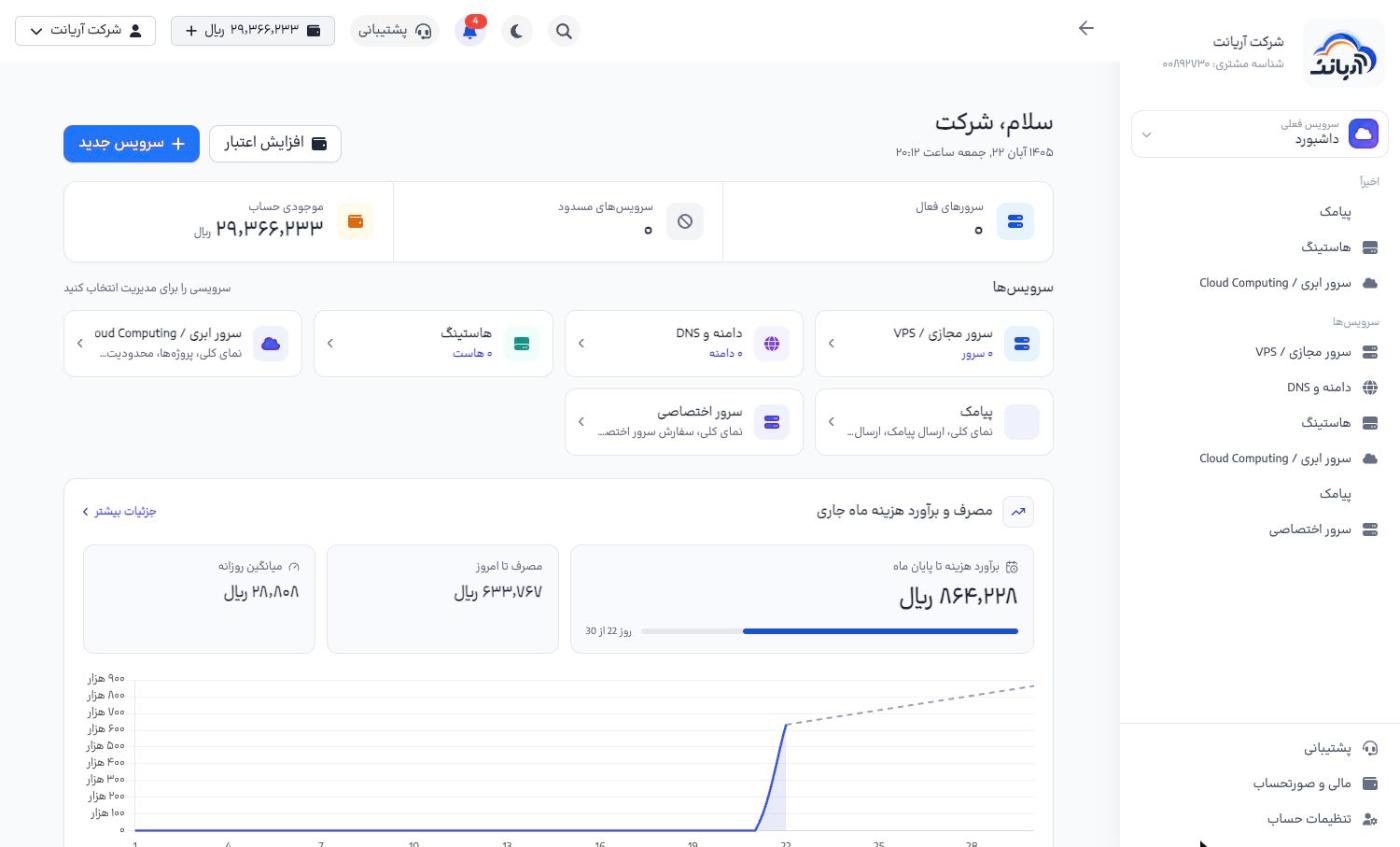
- Add credit («افزایش اعتبار») and New service («سرویس جدید»): the two buttons at the top of the page, for topping up your account and buying a service
- Summary cards: the number of active servers, suspended services and your account balance
- Services / apps: the products you have activated. A Trial («آزمایشی») label means the product is in its trial period.
- Usage and estimated cost for this month: the cost recorded so far and an estimate up to the end of the month
- Quick access: manage servers, bills, profile and tickets
- Recent activity: the latest actions taken in the account
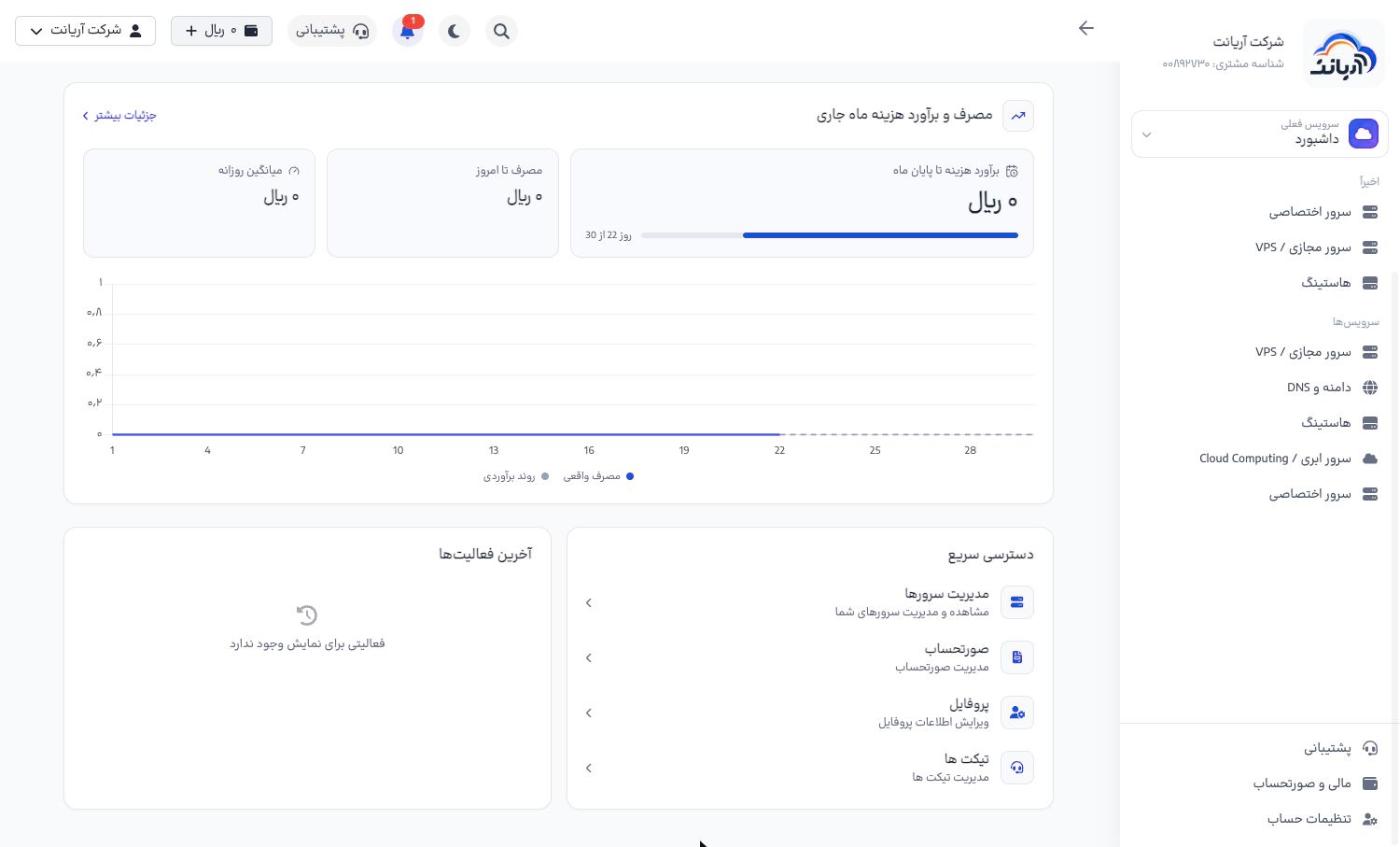
Dashboard sidebar
On the dashboard the sidebar has two parts: Recent («اخیراً», products you opened recently) and Services («سرویسها», all products). Click a product to open its page; the menu then changes to that product's menu. All services («همهٔ سرویسها») takes you back to the dashboard.
tip
- More details («جزئیات بیشتر») on the usage card opens the bills page with the cost of each service.
- If the Suspended services («سرویسهای مسدود») count is not zero, your balance has usually run out; top up your account to reactivate the services.
- The Estimated cost to the end of the month («برآورد هزینه تا پایان ماه») is based on your current usage; keep your balance above this figure.