Abuse center
If an abuse report is received about one of your services — for example spam, an attack, scanning or phishing — it is recorded in the Abuse center («مرکز سوءاستفاده») and you are notified. A service that has been suspended for abuse shows a link to this center on its page. Direct address: panel.ariaservice.net/abuse-center.
Overview
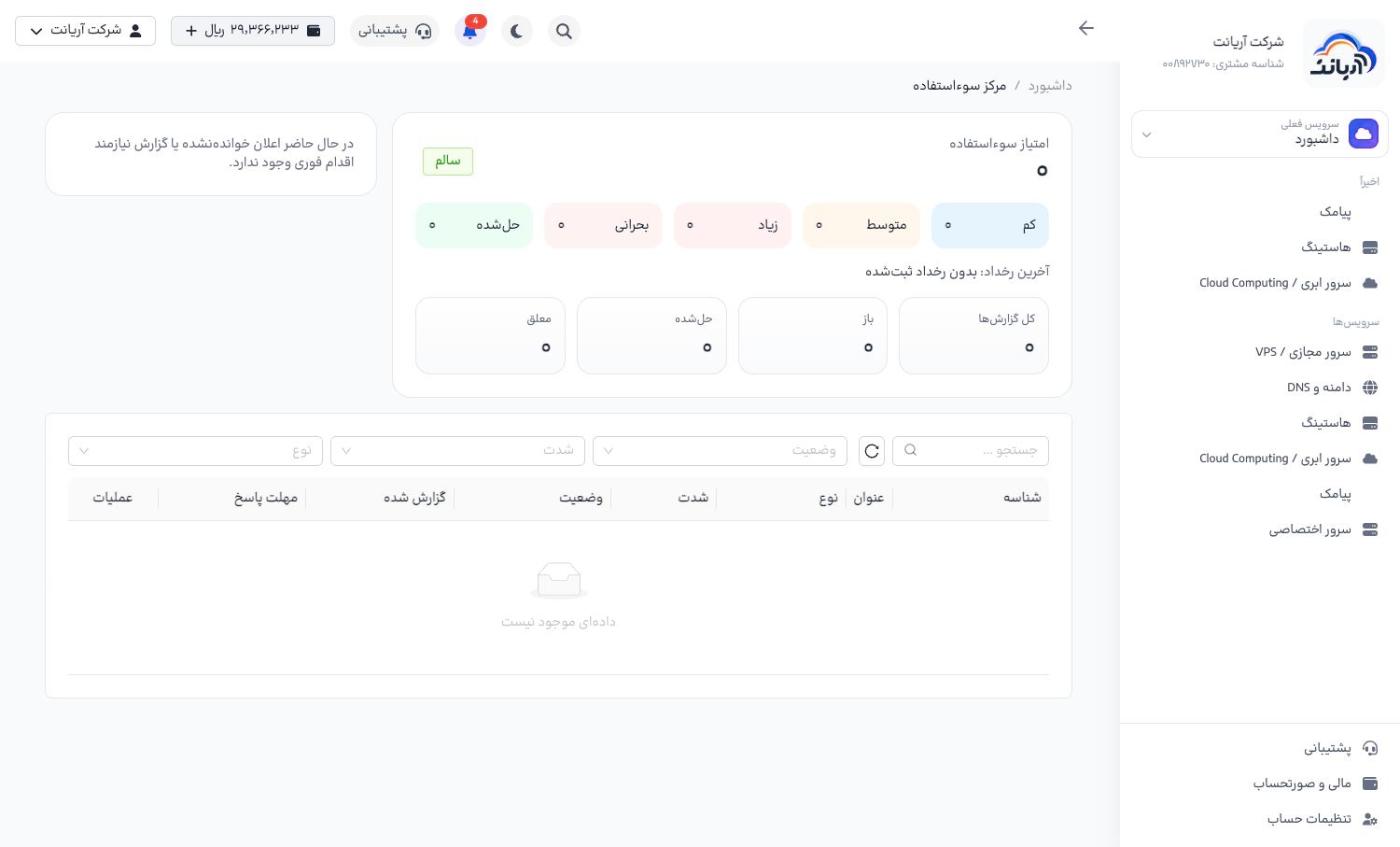
- Abuse score («امتیاز سوءاستفاده»): the overall state of the account (Healthy, «سالم», means you have no open reports)
- The number of reports by severity: low, medium, high, critical and resolved
- The total number of reports, and how many are open, resolved and pending
- The list of reports, with ID, title, type, severity, status, date and reply deadline; with search and filters for status, severity and type
Replying to a report
- Open the report. You see its type, severity, reply deadline, the related service, Evidence and documents («مدارک و مستندات») and Report history («تاریخچه گزارش»).
- Click Reply («پاسخ») and choose the reply type: Explanation («توضیح»), Dispute («اعتراض»), Proof of fix («مدرک رفع مشکل») or Reactivation request («درخواست فعالسازی»).
- Write a full explanation (at least 20 characters) and, if needed, attach up to 5 files (up to 5 MB each).
- Send the reply and follow the report's status.
tip
- Reply before the reply deadline; an unanswered report can lead to the service being suspended.
- First fix the problem on the server (remove malware, change passwords, shut down the compromised service), then send a Proof of fix. A reply without a fix does not lead to reactivation.
- If you believe the report is wrong, choose Dispute and attach evidence (for example logs).
danger
Any attack, spam, scanning, phishing or illegal content is prohibited and may lead to the service being suspended without a refund.