SMS
With the Arianet SMS service you can send single and bulk SMS, see received messages, and send SMS from your own software through the API. SMS costs are deducted from the same account wallet.
Overview
SMS → Overview («پیامک ← نمای کلی») shows statistics for the last 30 days: the number sent, delivered, failed and the cost, along with your wallet balance.
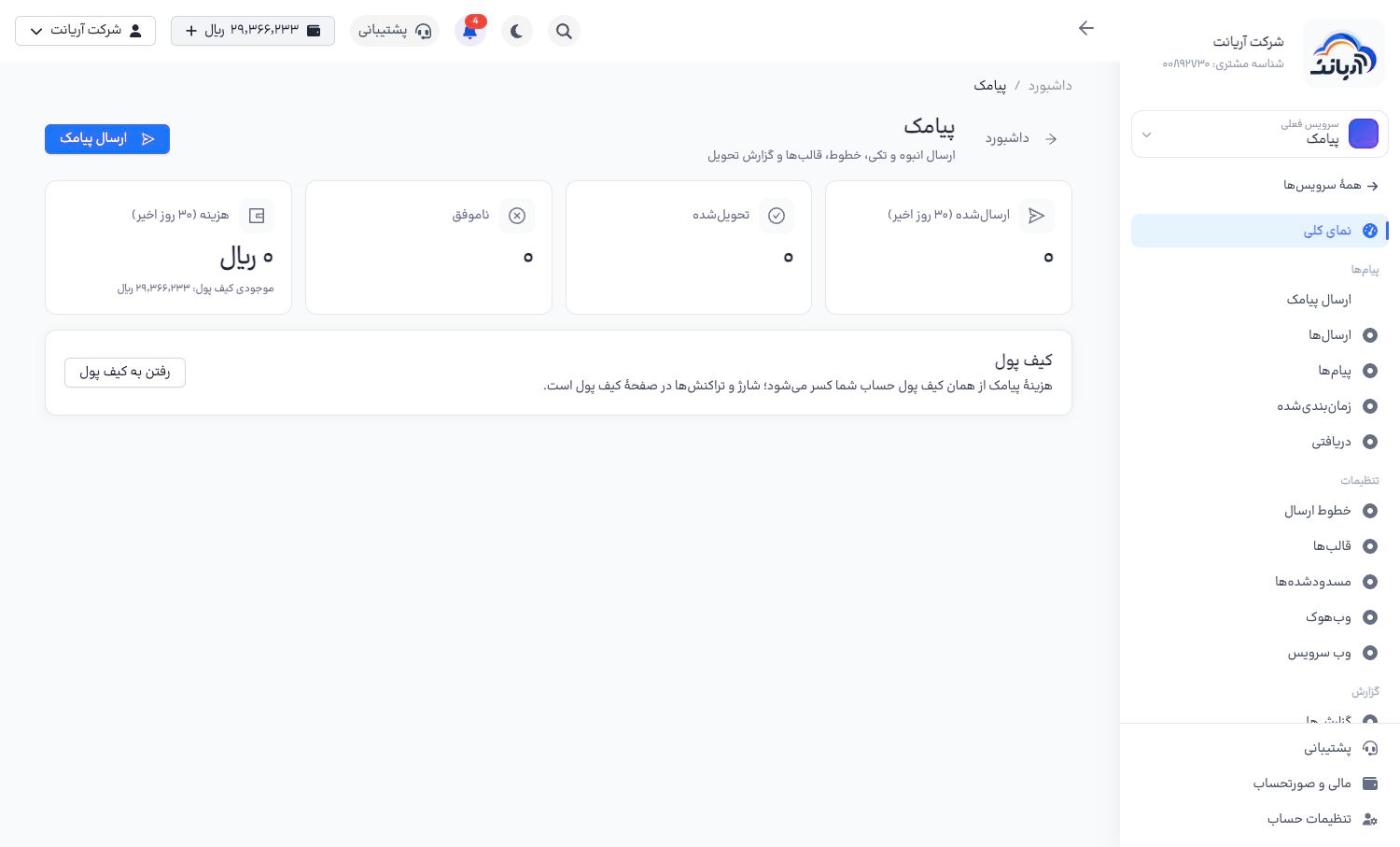
The SMS menu has three sections:
- Messages («پیامها»): Send SMS, Sends, Messages, Scheduled, Received
- Settings («تنظیمات»): Sender lines, Templates, Blocked, Webhook, Web service
- Reports («گزارش»): Reports
Sending an SMS
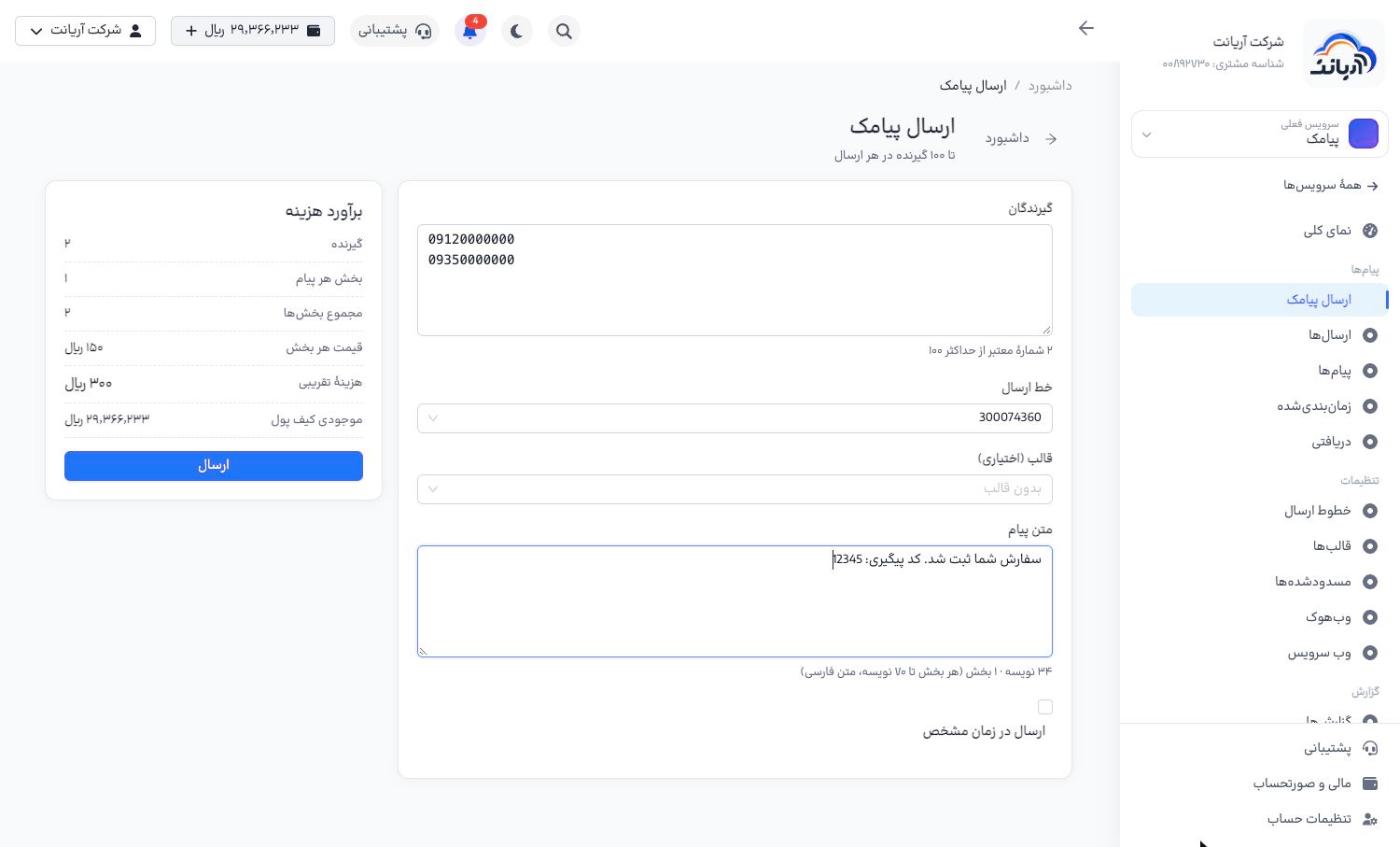
- Open Send SMS («ارسال پیامک»).
- In Recipients («گیرندگان»), write each number on its own line (at most 100 numbers per send). The number of valid numbers is shown below the box.
- Choose the Sender line («خط ارسال»); recipients see this number as the sender.
- If needed, choose a Template («قالب») or write the Message text («متن پیام»).
- To send later, tick Send at a specific time («ارسال در زمان مشخص») and choose the time.
- Check the Cost estimate («برآورد هزینه») box and click Send («ارسال»).
A long SMS is sent in several parts, and each part is charged:
- Persian text: up to 70 characters per part
- English text: up to 160 characters per part
The number of characters and parts is shown below the text box. Cost estimate = number of recipients × parts per message × price per part.
- Before a bulk send, send the text once to your own number.
- Write numbers in the format
09xxxxxxxxx; invalid numbers are not counted. - To send to more than 100 people, do several separate sends or use the API.
Tracking sends
- Sends («ارسالها»): each group send with the delivery status of each number; get it as a file with CSV export («خروجی CSV»).
- Messages («پیامها»): every individual message sent
- Scheduled («زمانبندیشده»): future sends; you can Cancel («لغو») them before the send time.
- Received («دریافتی»): replies that have reached your lines
- Reports («گزارشها»): send and cost statistics for any date range
Sender lines
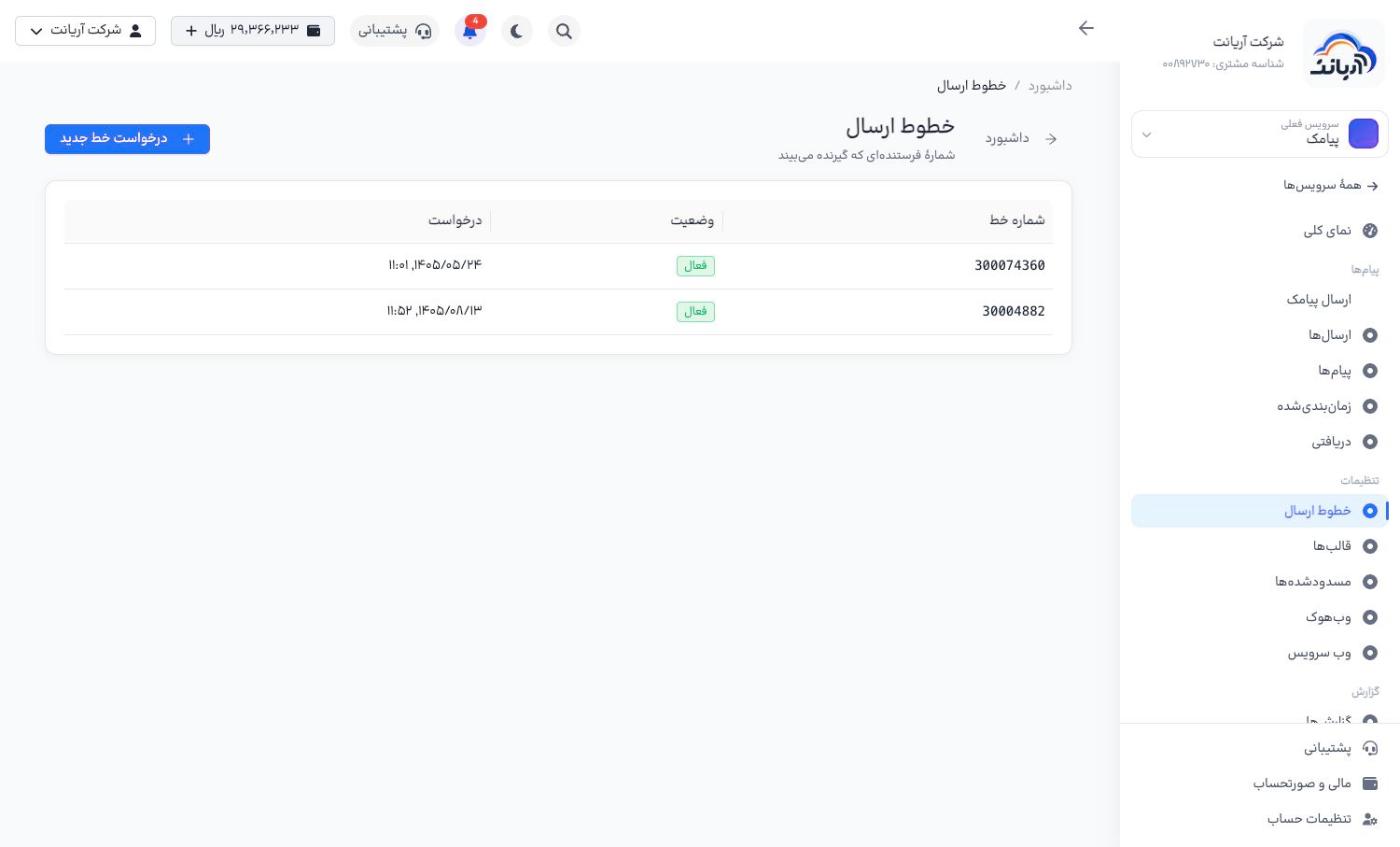
Sender lines («خطوط ارسال») shows your sender numbers with their status and request date. For a dedicated line, click Request new line («درخواست خط جدید»).
Templates and blocked numbers
- Templates («قالبها»): ready-made texts for quick sending
- Blocked («مسدودشدهها»): numbers that SMS is not sent to (for example people who have unsubscribed)
Connect via API
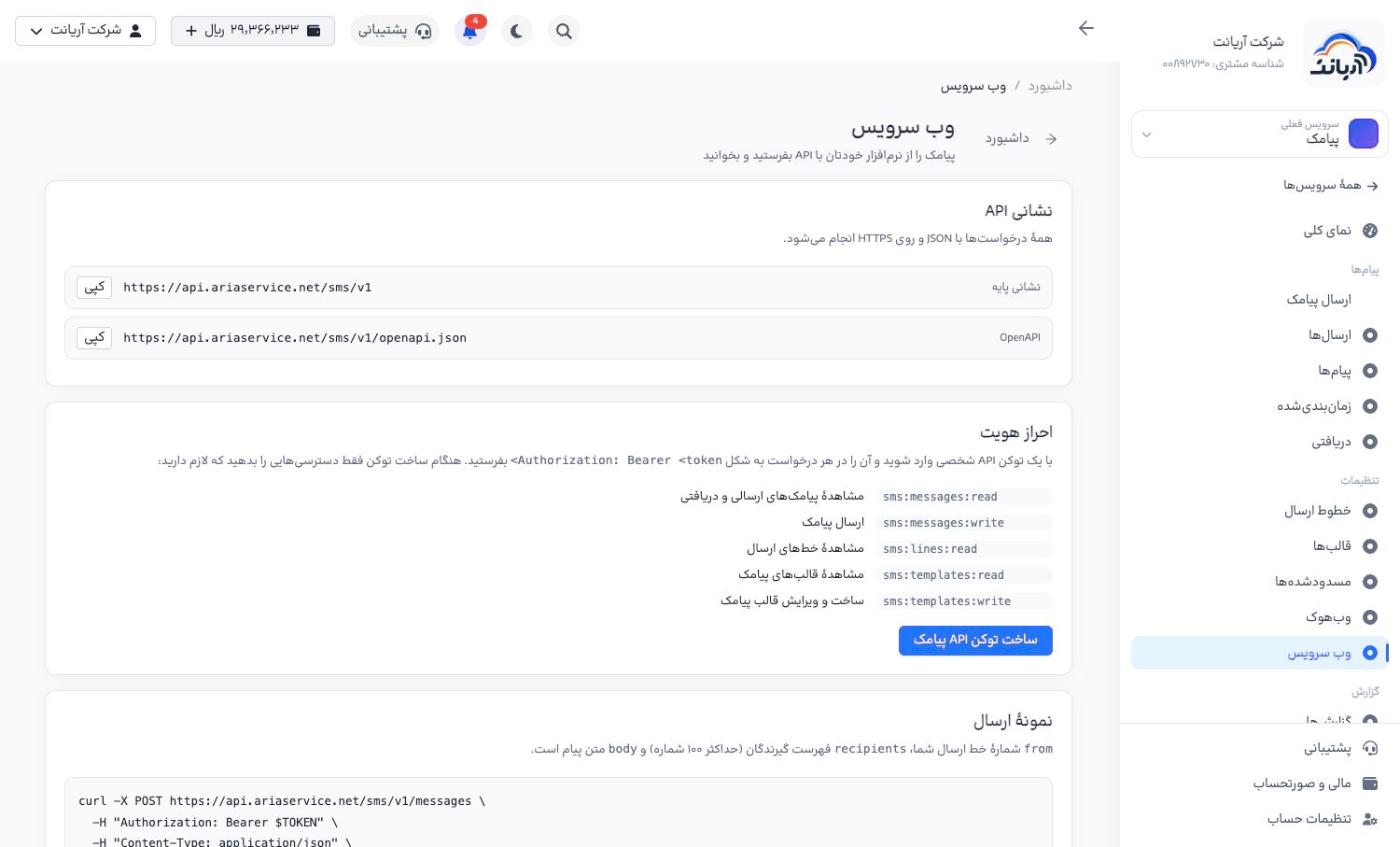
Web service («وب سرویس») shows the API address (https://api.ariaservice.net/sms/v1), the OpenAPI file, the token permissions needed and a sample send with curl.
- Click Create SMS API token («ساخت توکن API پیامک») and give it only the permissions it needs, for example
sms:messages:writeto send andsms:messages:readto read delivery status. - Send the token in the
Authorization: Bearer <token>header of every request.
In Webhook («وبهوک»), set an address so that delivery statuses and received messages are sent to your software.
Full documentation: SMS API. On token security: API tokens.