IP leasing
In the IP leasing («اجارهٔ IP») section of the panel you buy two kinds of IP:
- Additional IP for an OVH dedicated server: a single address or a small block from the data center itself, on one of your dedicated servers.
- Public IP with BGP: an IPv4 block (from /24 to /19) from the global IP market that you attach to an Arianet dedicated server or to your own network (ASN).
- Buying needs an identity-verified account. Identity verification
- Leases are monthly and prepaid. The first payment (first month + one-time setup fee) is taken from your wallet when you place the order, so top up your account first.
- Our team reviews and activates every order. A block takes a few working days to deliver (it has manual steps at the registry). The current step is always shown on the page of that IP or block.
- If an order is cancelled before the lease starts, the full amount goes back to your wallet.
- Renewal is not automatic; you pay the renewal every month.
My IP blocks
In the IP leasing menu, Overview («نمای کلی») opens My IP blocks («بلاکهای آیپی من»). Each block shows its address, status, country (geolocation) and destination (a server, an ASN or No destination «بدون مقصد»). Narrow the list with the search box (block address or server name) and the status filter. Click a row to open the block page.
Additional IPs you bought for dedicated servers are listed below, in the Servers' additional IPs («آیپیهای اضافهٔ سرورها») box.
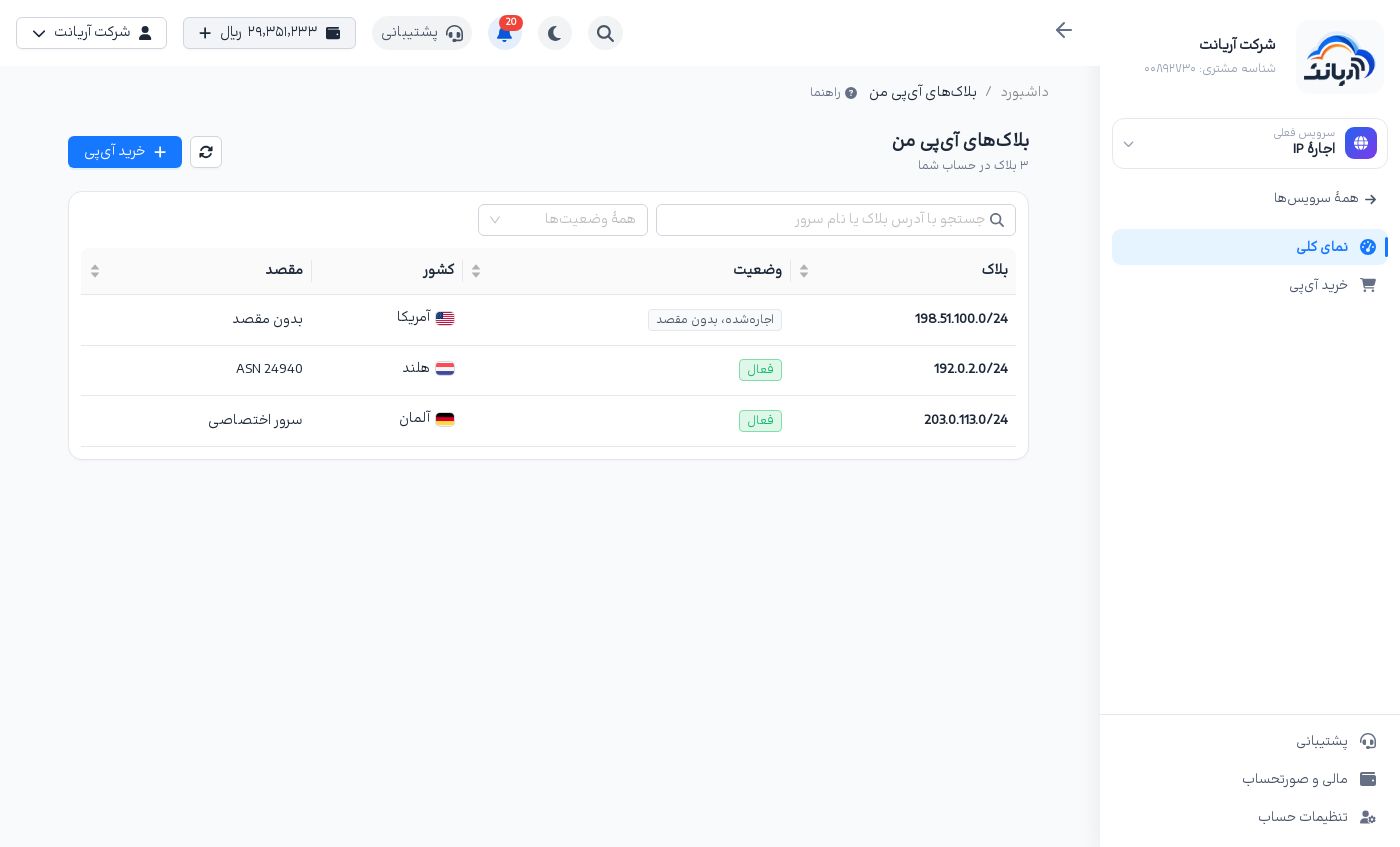
The screenshots on this page come from sample blocks and carry the Demo («نمونه آزمایشی») label. The addresses, prices and ASN are samples. Your real block does not carry this label.
Buying an IP
Click Buy IP («خرید آیپی») in the menu or above the list. On the Buy IP page, choose how to get the IP:
- Additional IP for an OVH dedicated server («آیپی اضافه برای سرور اختصاصی OVH»): a single IP or a block from the data center itself, on one of your dedicated servers; it renews monthly, separately from the server. Details
- Public IP with BGP and connection to Arianet's infrastructure («آیپی عمومی با BGP و اتصال به زیرساخت آریانت»): an IPv4 block from the global market that you can announce with BGP on an Arianet dedicated server or on your own network (ASN). Details
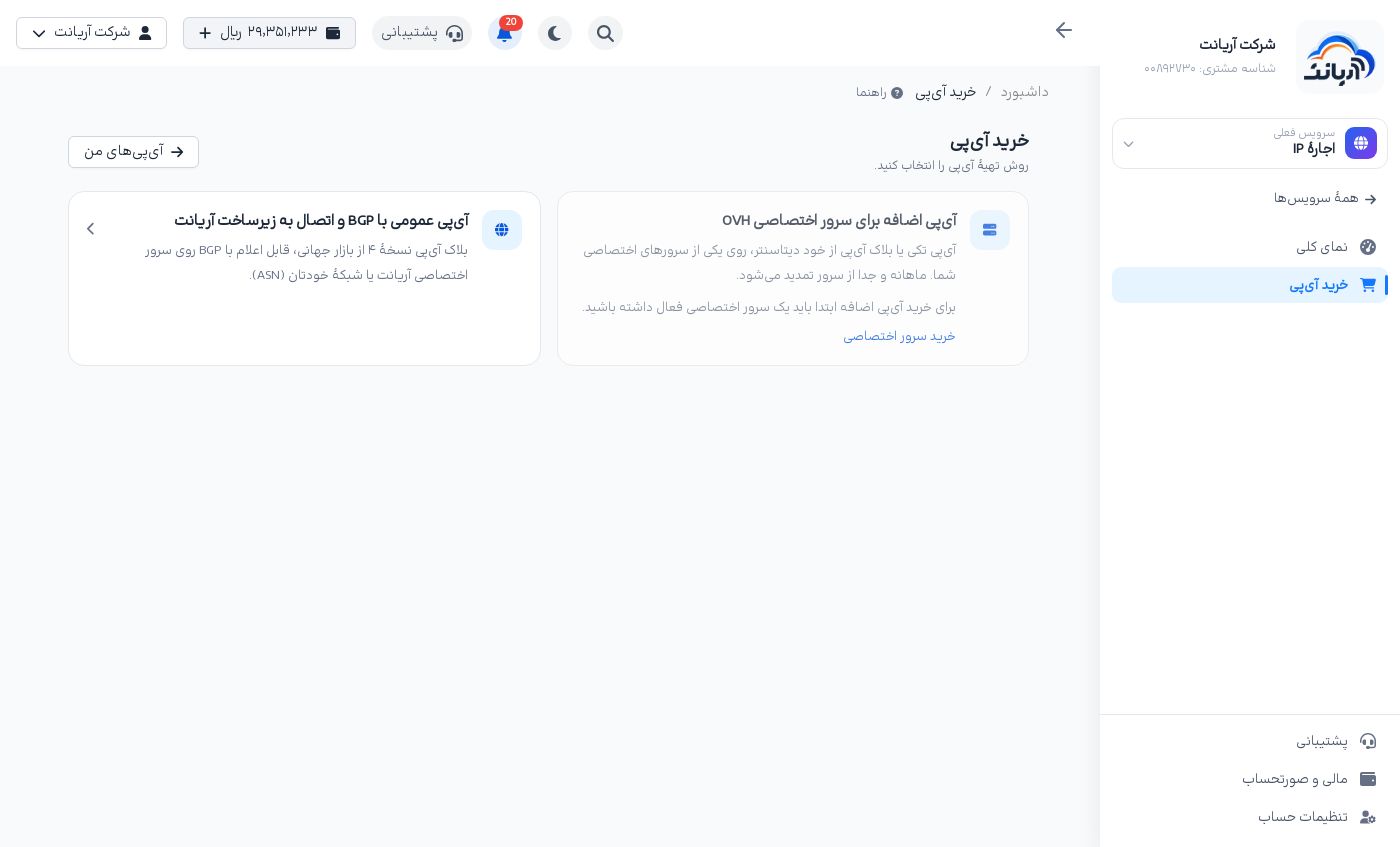
A grey card says why under it. For example, the additional-IP card stays disabled until you have an active dedicated server, and it links to Buy a dedicated server («خرید سرور اختصاصی»).
Additional IP for an OVH dedicated server
Additional IPs are sold by the OVH data center itself and work only on a dedicated server in that data center. The order has three steps:
- Dedicated server: choose the server the IP is for. Servers that cannot take an IP are greyed out with the reason under them.
- IP type: the offers of that server's data center are shown (a single IP or a block). Each card shows the size, the monthly price and, if any, the setup fee. If the data center sells no additional IPs right now, the page says so.
- Summary and payment: read the server, the invoice lines, Amount to pay («مبلغ قابل پرداخت»), Monthly renewal («تمدید ماهانه»), the delivery time and the rules, tick I have read and accept the rules above («قوانین بالا را خواندم و میپذیرم») and click Pay from wallet («پرداخت از کیف پول»).
The Buy additional IP («خرید آیپی اضافه») link on a dedicated server's page takes you straight to this order for that server. IPs on the server page
After you pay, the IP's own page opens. Our team gets the IP from the data center and attaches it to your server; the page updates by itself.
The additional IP page
- Details: type, address (shown after delivery), server, data center, monthly fee, setup fee and end of term.
- Renewal and end of lease: the renewal bill is issued seven days before the term ends and is paid from your wallet with Pay renewal («پرداخت تمدید»). If it is not paid, the IP is released at the end of the term. End of lease at the end of the term («پایان اجاره در پایان دوره») releases the IP when the paid term ends, with no refund. Until then, Cancel end of lease («لغو پایان اجاره») takes it back.
- Events: the history of the order, delivery and renewals.
The IP block market
The Public IP with BGP card opens the IP block market («بازار بلاک آیپی»). Every block is leased monthly; prices are in rial.
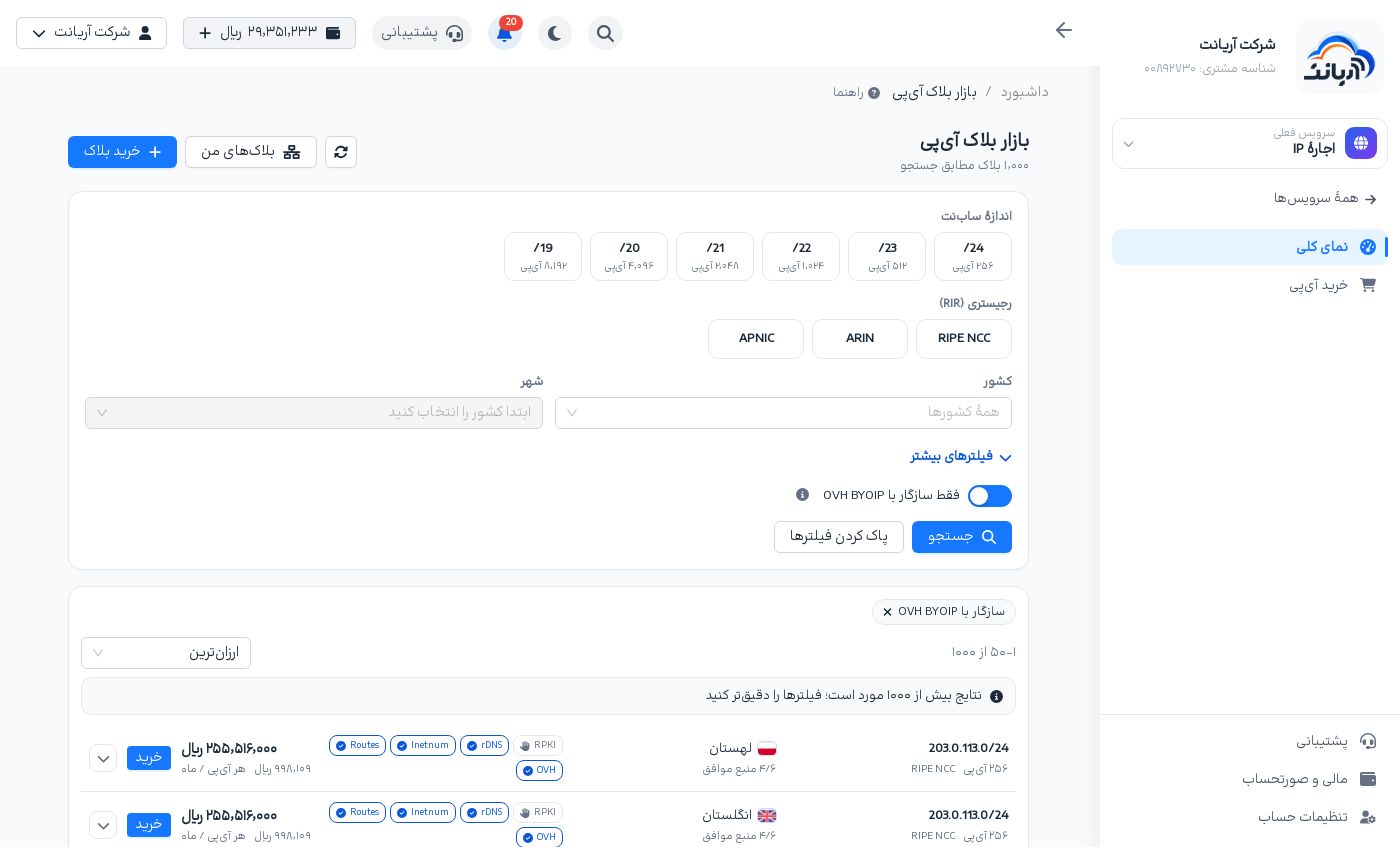
Filters
- Subnet size: /24 (256 IPs), /23, /22, /21, /20 or /19 (8,192 IPs).
- Registry (RIR): RIPE NCC, ARIN or APNIC.
- Country and City: the country geolocation databases place the block in. The city list fills in after you pick a country.
- More filters («فیلترهای بیشتر»):
- Subnet address search, for example
185.10. - Minimum / maximum monthly price (toman)
- Block capabilities: RPKI, rDNS, WHOIS Inetnum and WHOIS Routes, each Automated, Manual or Not supported
- Octet pattern: the first three parts of the address, for example only blocks starting with
185
- Subnet address search, for example
- Only OVH BYOIP compatible («فقط سازگار با OVH BYOIP», on by default): a block installed on a dedicated server must meet the data center's BYOIP conditions. With it off, incompatible blocks are shown too but cannot be bought.
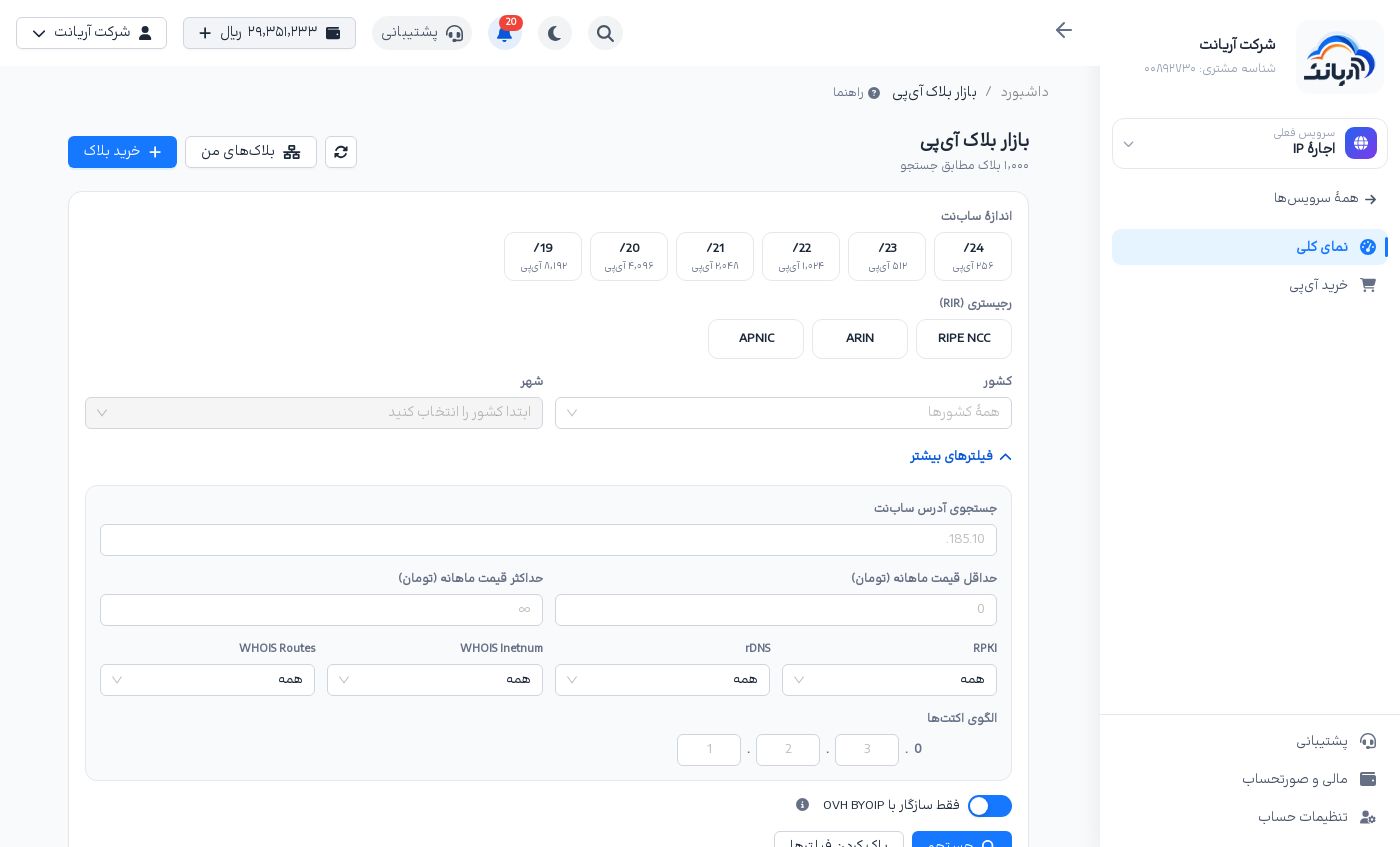
Click Search («جستجو»). A market search can take a few seconds. Applied filters appear as chips above the results; the cross on a chip removes it, and Clear filters («پاک کردن فیلترها») removes them all. The search is kept in the page address, so you can send the link to someone.
Results and sorting
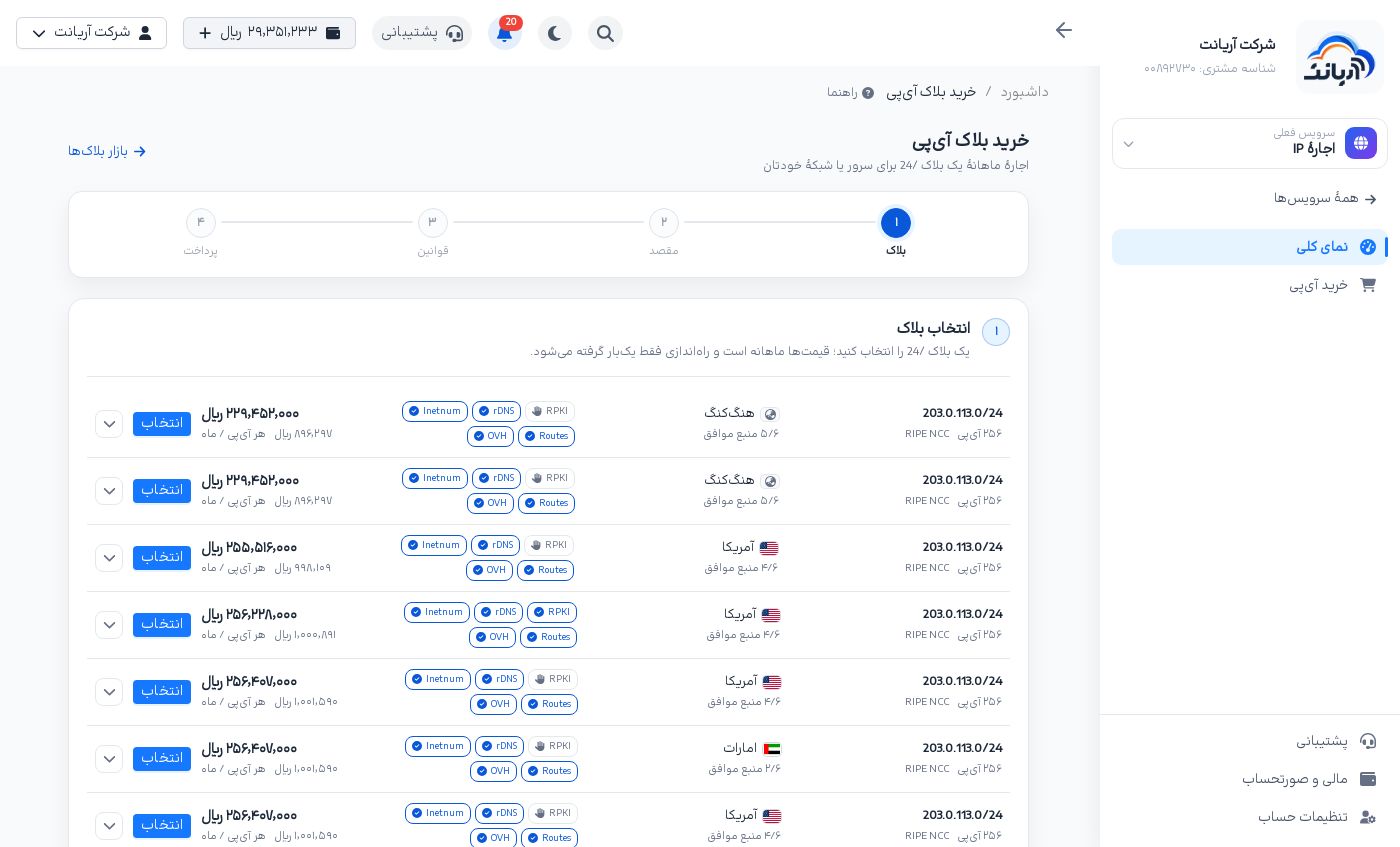
Sort the results by Cheapest, Most expensive, Address ascending or Address descending. With more than 1,000 results, the page asks you to narrow the filters. Each row shows:
- Block address, number of IPs and registry.
- Country and geolocation agreement: for example «۴/۶ منبع موافق» means 4 of 6 geolocation databases place the block in this country. The arrow at the end of the row shows each source's country and city. The more sources agree, the more likely websites and services see users of these IPs in that country.
- Capabilities: RPKI, rDNS, Inetnum and Routes, each marked automated, manual or not supported. The OVH badge shows BYOIP compatibility.
- Monthly price, price per IP per month, and the Buy («خرید») button.
Buying a block from the market
Click Buy next to a block or Buy block («خرید بلاک») above the market. Buying has four steps. In each step Continue («ادامه») takes you to the next one and Previous step («مرحله قبل») to the previous one.
1. Choose the block
If you came from a row's Buy button, the block is already chosen and this step is skipped. Otherwise Select («انتخاب») one of the listed blocks (cheapest first). For a narrower search use Advanced search in the market («جستجوی پیشرفته در بازار»).
2. Block destination
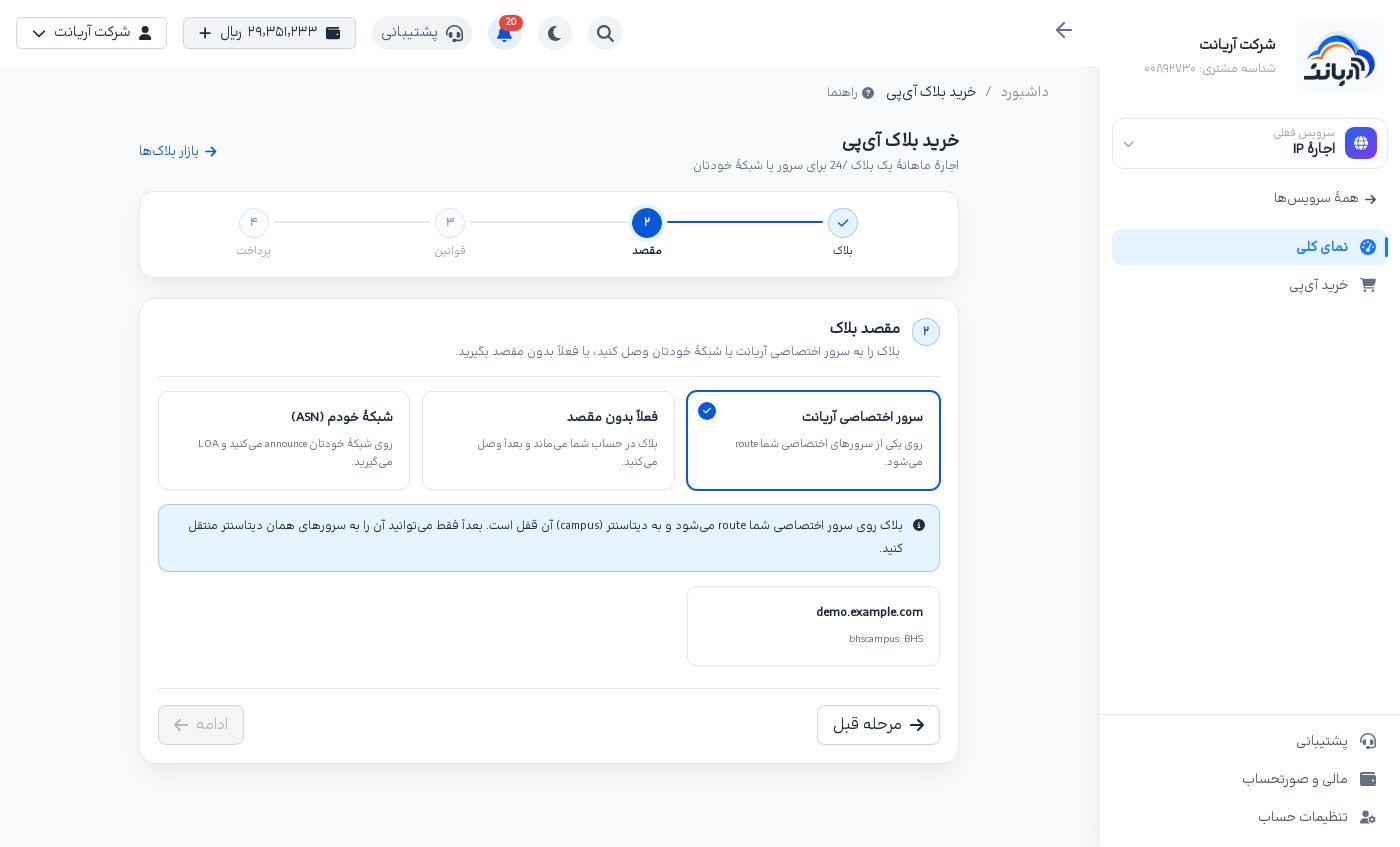
Choose where the block is used:
- Arianet dedicated server («سرور اختصاصی آریانت»): the block is routed to one of your dedicated servers. Pick the server. The block is locked to that server's data center (campus) and can later move only to servers in the same data center.
- No destination for now («فعلاً بدون مقصد»): the block is leased and stays on your account. The monthly rent starts now; whenever you attach the block to a server or an ASN, the connection fee (LOA) is taken from your wallet at that moment.
- My own network (ASN) («شبکهٔ خودم (ASN)»): you announce the block with BGP on your own network. We only get the LOA for your ASN and route nothing. The LOA is downloaded from the block page.
For an ASN, enter the number as AS12345 or 12345. The panel checks the ASN and shows its name and registration country.
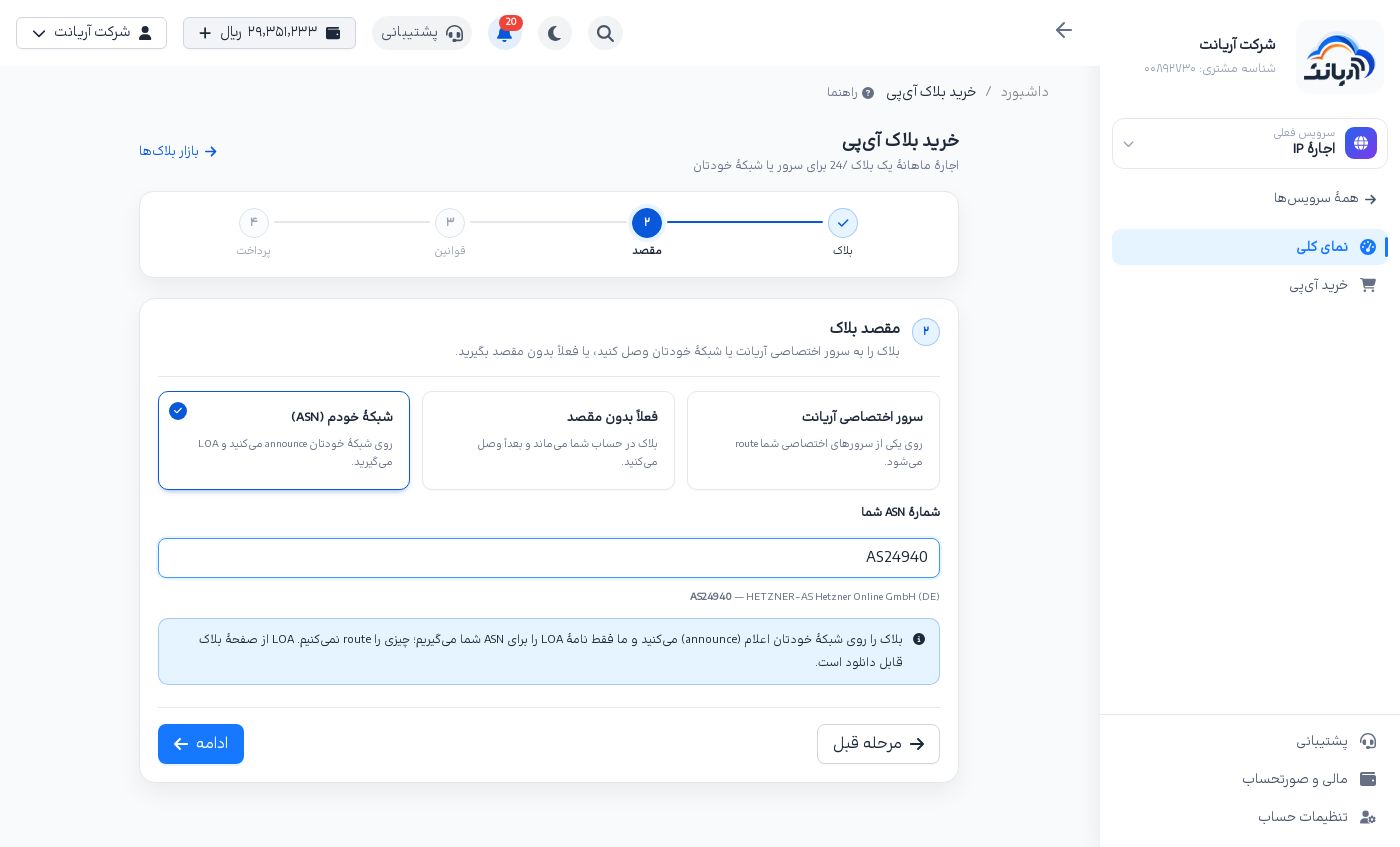
- Private, documentation or reserved ASNs (such as 64496 to 131071 and 4200000000 and above) and Arianet's/OVH's ASN (AS16276) are refused. Enter your own public ASN.
- An ASN registered in a sanctioned country (Iran included) is refused. The ASN's registration country is checked at purchase and again at every new connection. If the check is unavailable for the moment, try again a few minutes later.
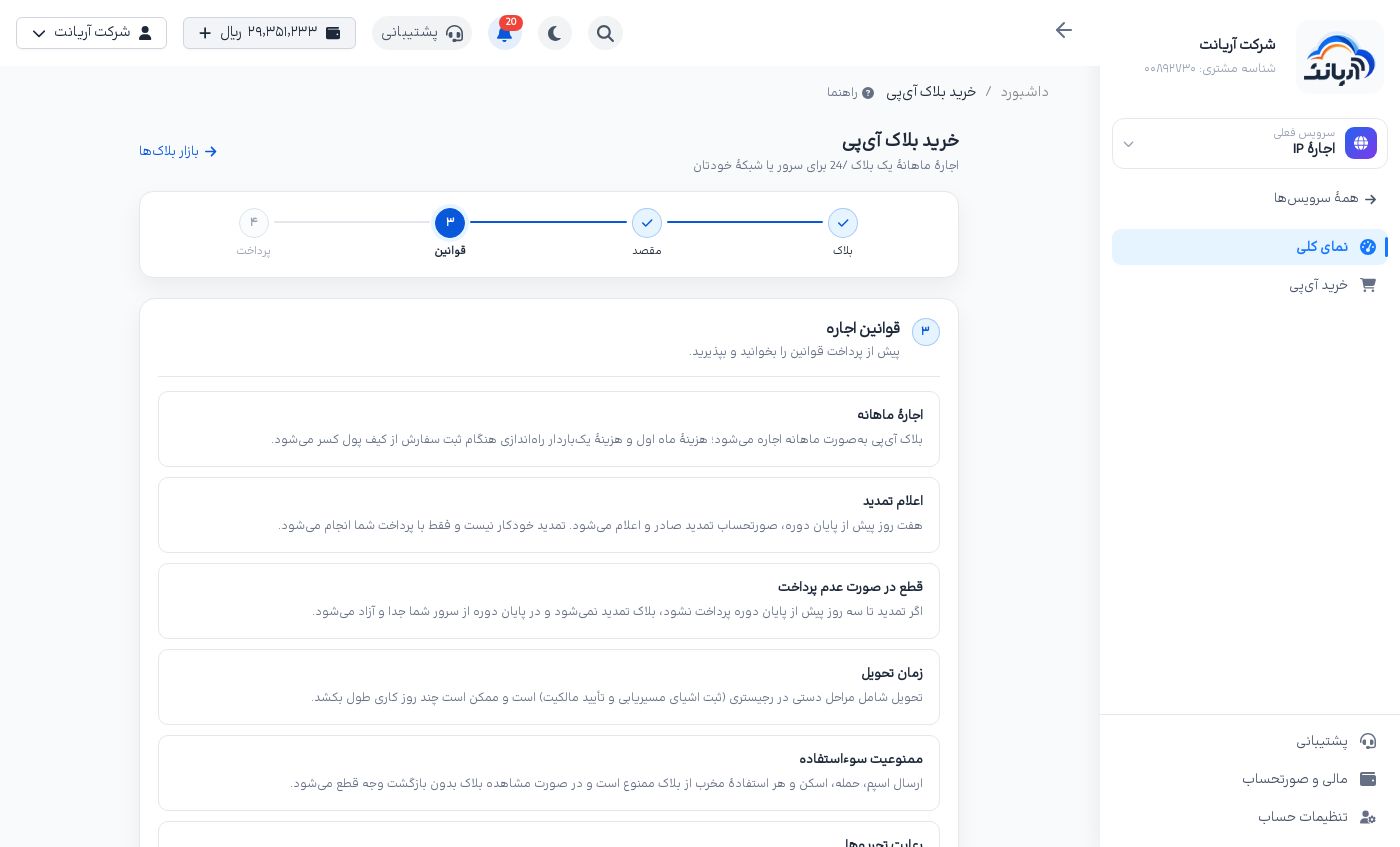
3. Lease rules
Read the rules and tick I have read and accept the rules («قوانین را خواندم و میپذیرم.»). In short:
- The lease is monthly. The first month and the one-time setup fee are taken from your wallet when you order.
- The renewal bill is issued seven days before the term ends. Renewal is not automatic.
- If the renewal is not paid by three days before the term ends, the block is detached and released at the end of the term.
- Delivery has manual steps at the registry and can take a few working days.
- Spam, attacks, scanning and any harmful use are forbidden and lead to the block being cut off with no refund.
- The block must be used in line with sanctions law and the registries' rules.
- Until the block is leased, the order can be cancelled with a full refund. Once the lease is registered, the costs are not refunded.
- The block is locked to the data center (campus) of the server it is attached to.
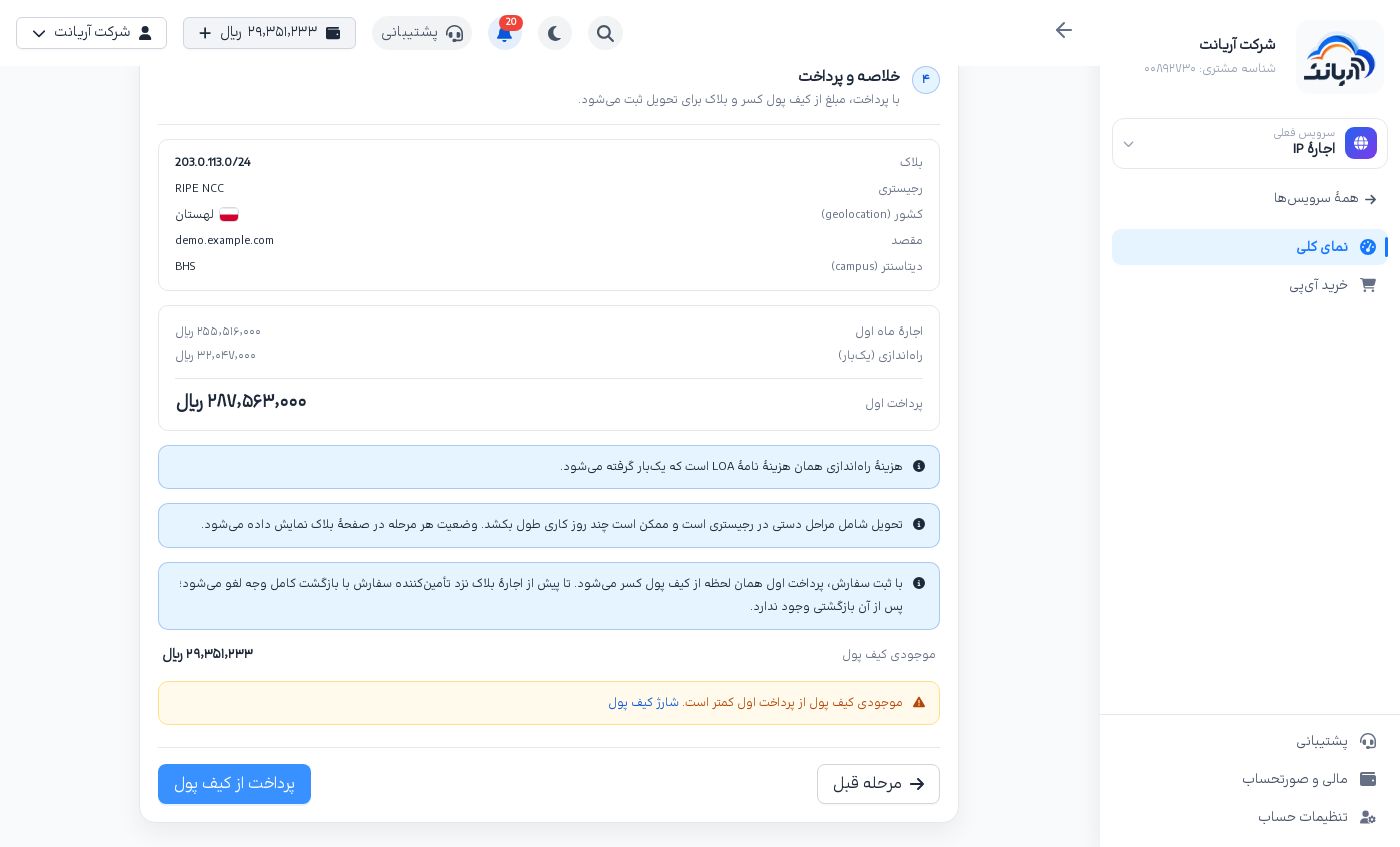
4. Summary and payment
The summary shows the block, registry, country, destination and (for a server) the data center, and these amounts:
- First month's rent («اجارهٔ ماه اول»)
- Setup (one-time) («راهاندازی (یکبار)»): the LOA fee. It is zero for No destination for now and is taken when you connect the block.
- First payment («پرداخت اول»): the sum of the two.
If your wallet holds less than the first payment, the page says so and links to topping up the wallet. Click Pay from wallet («پرداخت از کیف پول»); the amount is taken at once and the block page opens.
The block page
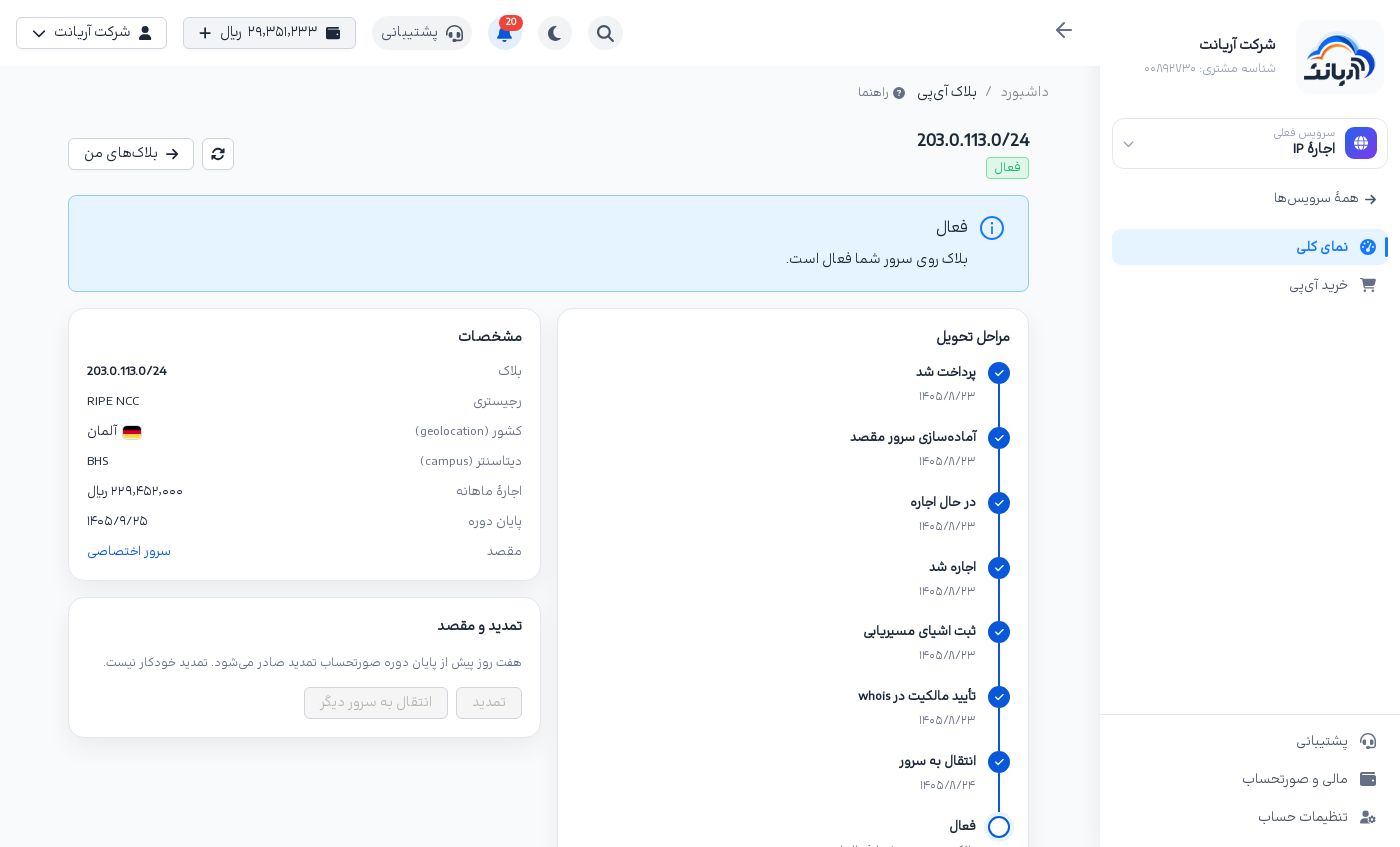
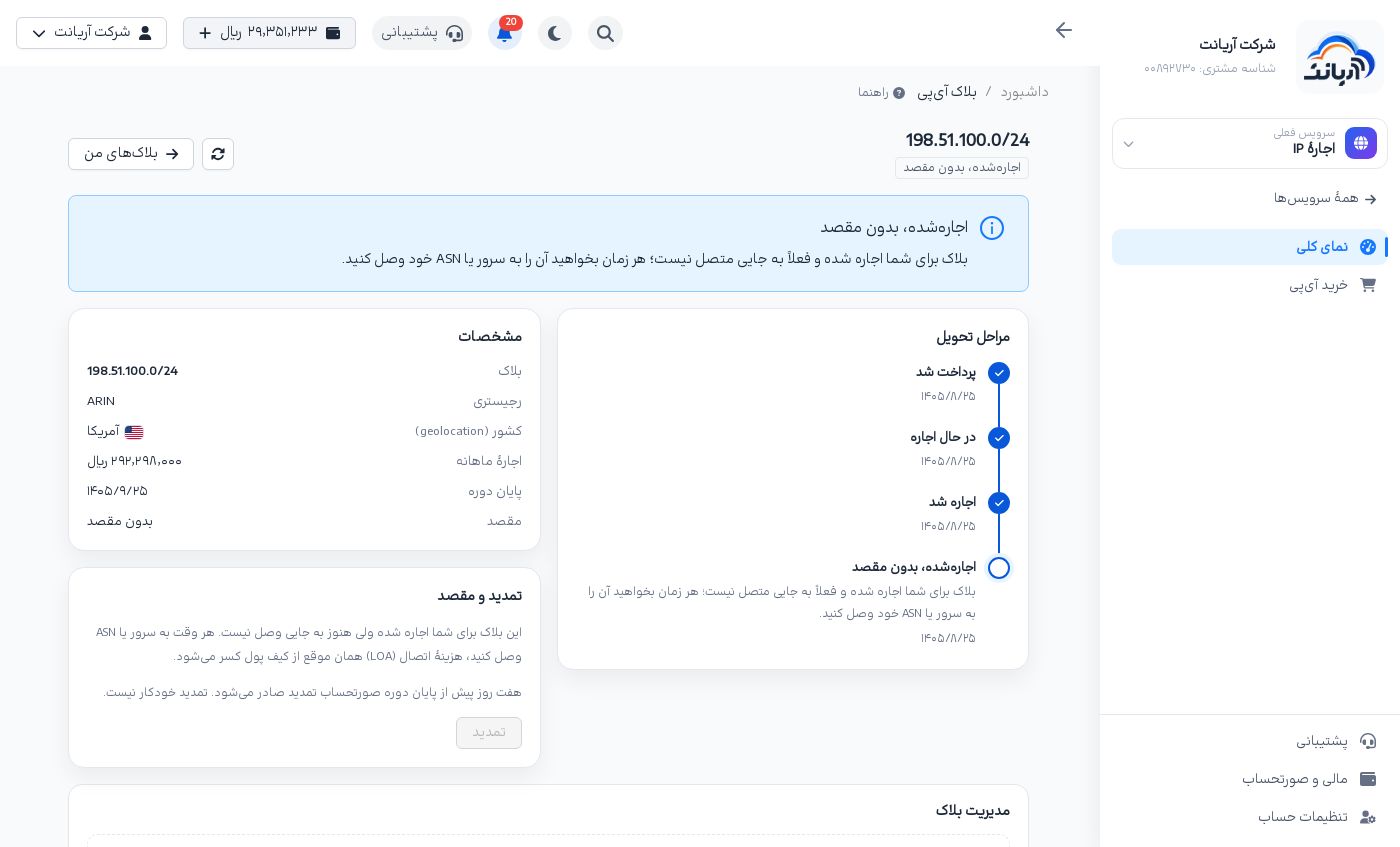
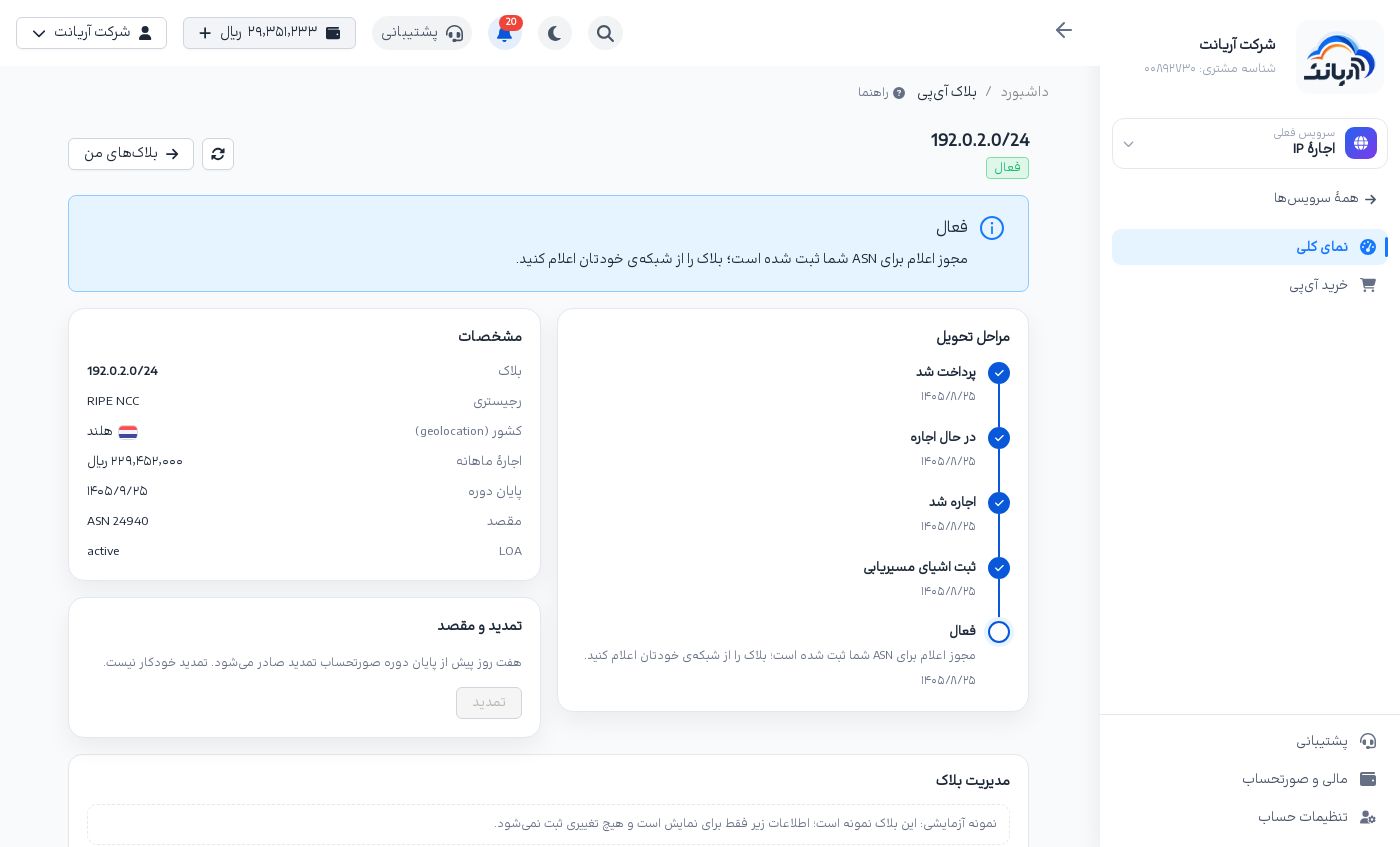
Click a block in My IP blocks to open its page:
- Delivery steps («مراحل تحویل»): Paid, Leasing, Leased, preparing the server, Registering routing objects (ROA and route), Ownership check in whois, Moving to the server and Active, each with its date. The steps depend on the destination; for example an ASN block has no move to a server.
- Details: block, registry, country (geolocation), data center (campus), monthly rent, end of term and destination. For an ASN, the LOA status is shown too.
- Renewal and destination («تمدید و مقصد»): renew, connect or change the destination, and move to another server.
If the block needs a look from support, a yellow Under review by support («در حال بررسی توسط پشتیبانی») box appears at the top; you do not need to do anything.
Renewal
The renewal bill is issued seven days before the term ends; its amount and deadline appear in the Renewal and destination box. Click Renew («تمدید») to pay it from your wallet. If it is not paid by three days before the term ends, the block is not renewed and is detached and released at the end of the term.
Connecting, changing the destination and moving
- Connect to a server or ASN («اتصال به سرور یا ASN»): for a block that is Leased, no destination («اجارهشده، بدون مقصد»). Choose a dedicated server or an ASN. For an ASN, its name and country are shown, with a warning if it is on the Spamhaus or OFAC lists. The connection fee (LOA) is shown in the window and taken once from your wallet with Confirm and pay («تأیید و پرداخت»).
- Change destination («تغییر مقصد»): for an active block on a server or ASN. A new destination needs a new LOA, and the LOA fee is charged at every new connection. A new ASN is checked against sanctions again.
- Move to another server («انتقال به سرور دیگر»): only to servers in the same data center (campus). The block can be unreachable for a while during the move.
Managing a block
Every leased block has a Block management («مدیریت بلاک») card with five tabs.
LOA and routing
- LOA letter: the block's LOAs with ASN, network name and status (Active, Awaiting issue, Revoked or Expired). The LOA of the current destination is marked Current destination («مقصد فعلی»).
- Download LOA («دانلود LOA»): download the letter for your network operator or upstream provider.
- Revoke LOA («لغو LOA»): the block is detached from the server or ASN and goes back to No destination. Revoking is free, but connecting again needs a new LOA and its setup fee.
- Routing (read-only): the origin ASN and the ROA (RPKI), route, RADB and inetnum (WHOIS) objects with their status, and WHOIS readiness.
Location
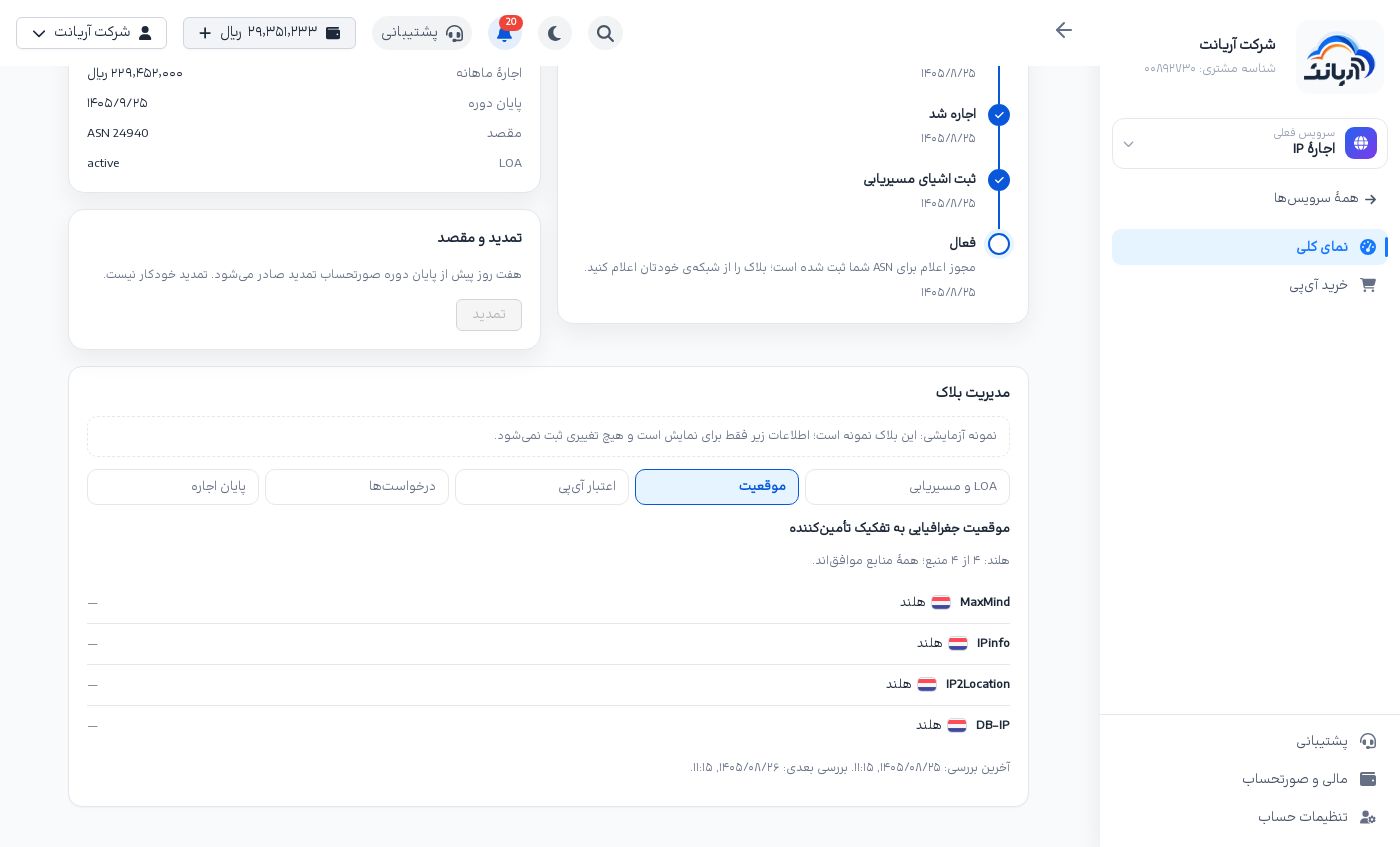
The block's country and city as each geolocation database (MaxMind, IPinfo, IP2Location, DB-IP, …) sees it, and how far they agree, with the last and next check (at most once a day). If not all sources agree, click Request a location correction («درخواست اصلاح موقعیت»).
IP reputation
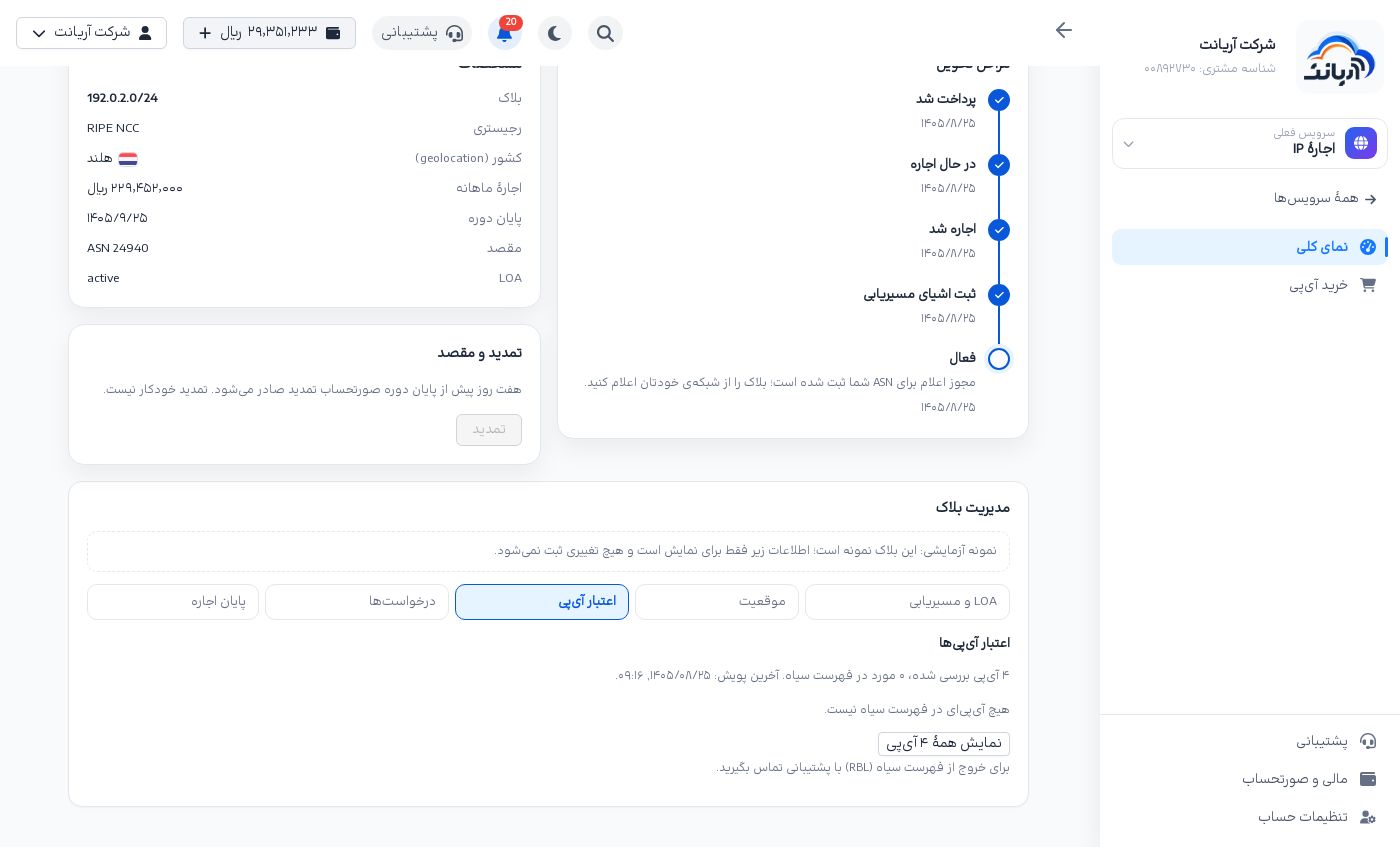
The result of scanning the block's IPs against blacklists (RBL): IPs scanned, IPs listed and the date of the last scan. Show all … IPs lists every address. To get an IP off a blacklist, open a ticket.
Requests
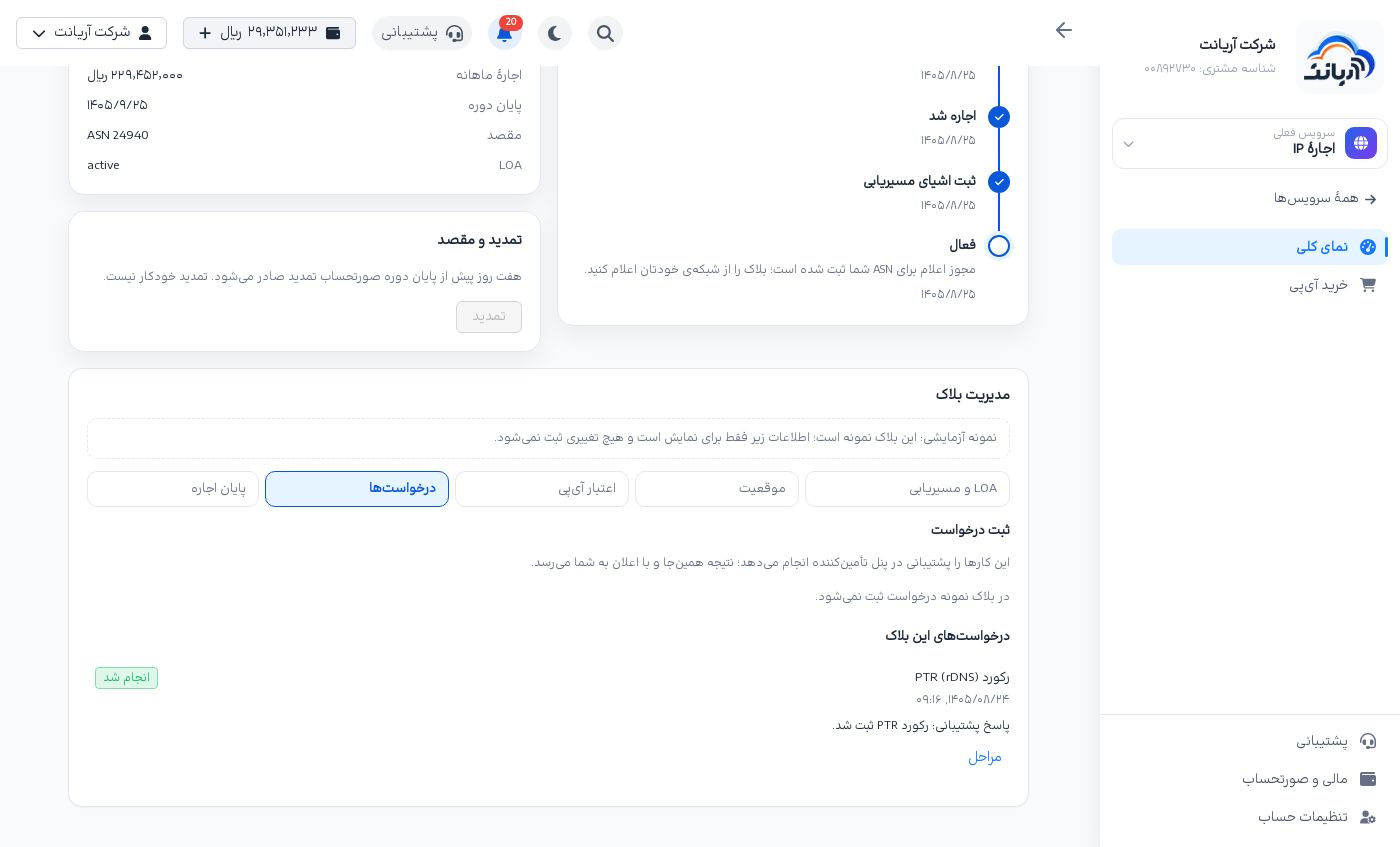
Ask here for the things the panel does not do directly. Support carries them out and the result comes back here and as a notification:
| Request type | What you enter |
|---|---|
| PTR record (rDNS) | One line per IP of this block and its host name, like 203.0.113.10 mail.example.com. To remove a record, write only the IP. Up to 256 lines |
| Reverse DNS delegation (NS) | 2 to 6 name servers, one per line. Reverse DNS of the whole block is delegated to them |
| Geolocation correction | The two-letter country code (like DE) and, if needed, region and city |
| WHOIS edit | The fields the registry allows: netname, descr, remarks and org (for RIPE NCC). The abuse-c field cannot be changed |
Each request has a status (Awaiting review, In progress, Done, Rejected or Cancelled), and Steps («مراحل») shows its history. Support's reply is written under the request. A request still Awaiting review can be cancelled with Cancel request («لغو درخواست»).
End of lease
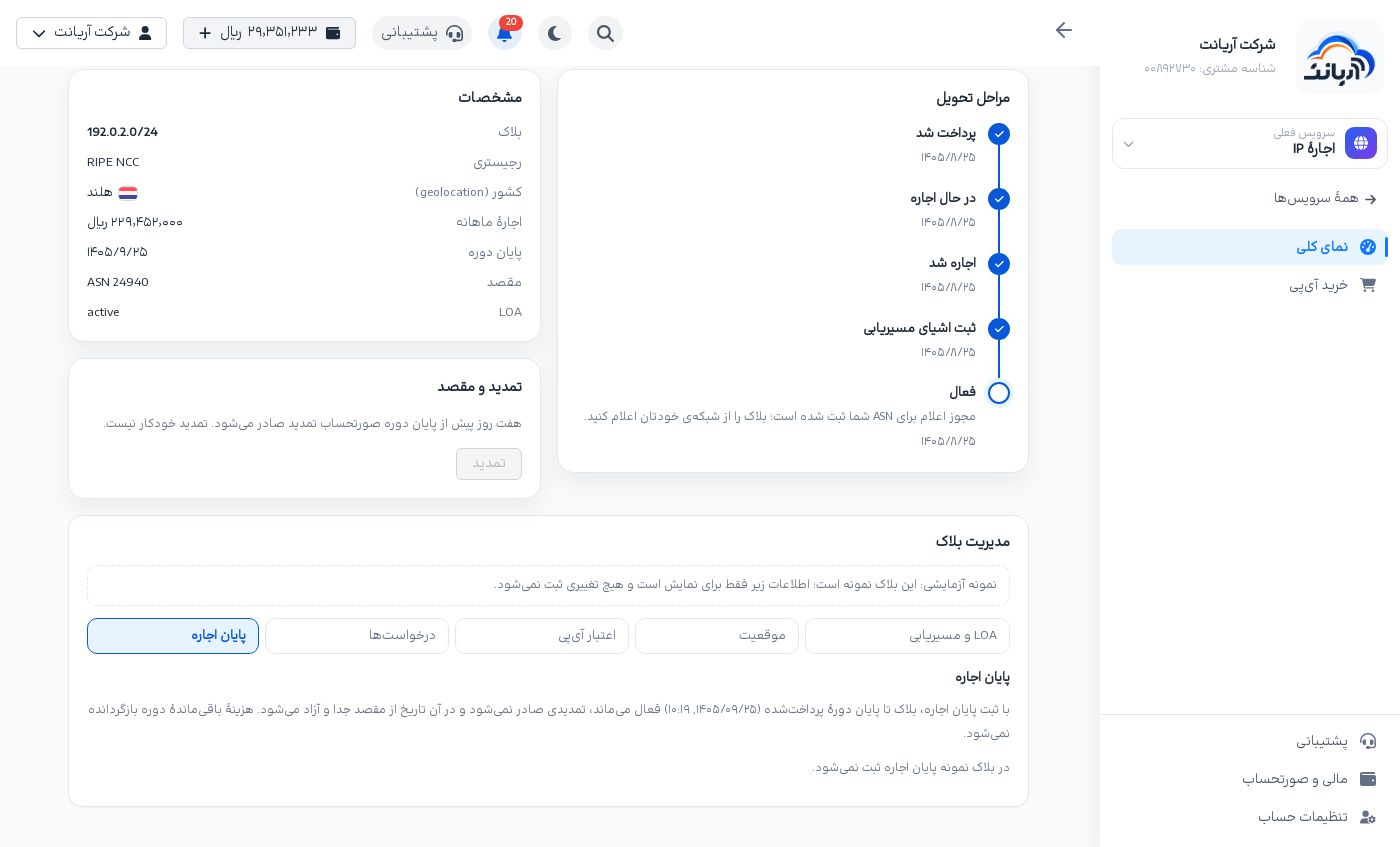
With Request end of lease («درخواست پایان اجاره», optionally with a reason), the block stays active until the end of the paid term, no renewal is issued, and on that date it is detached and released. The rest of the term is not refunded. Until three days before the term ends you can cancel it with Cancel end of lease («لغو پایان اجاره»).
IPs on the dedicated server page
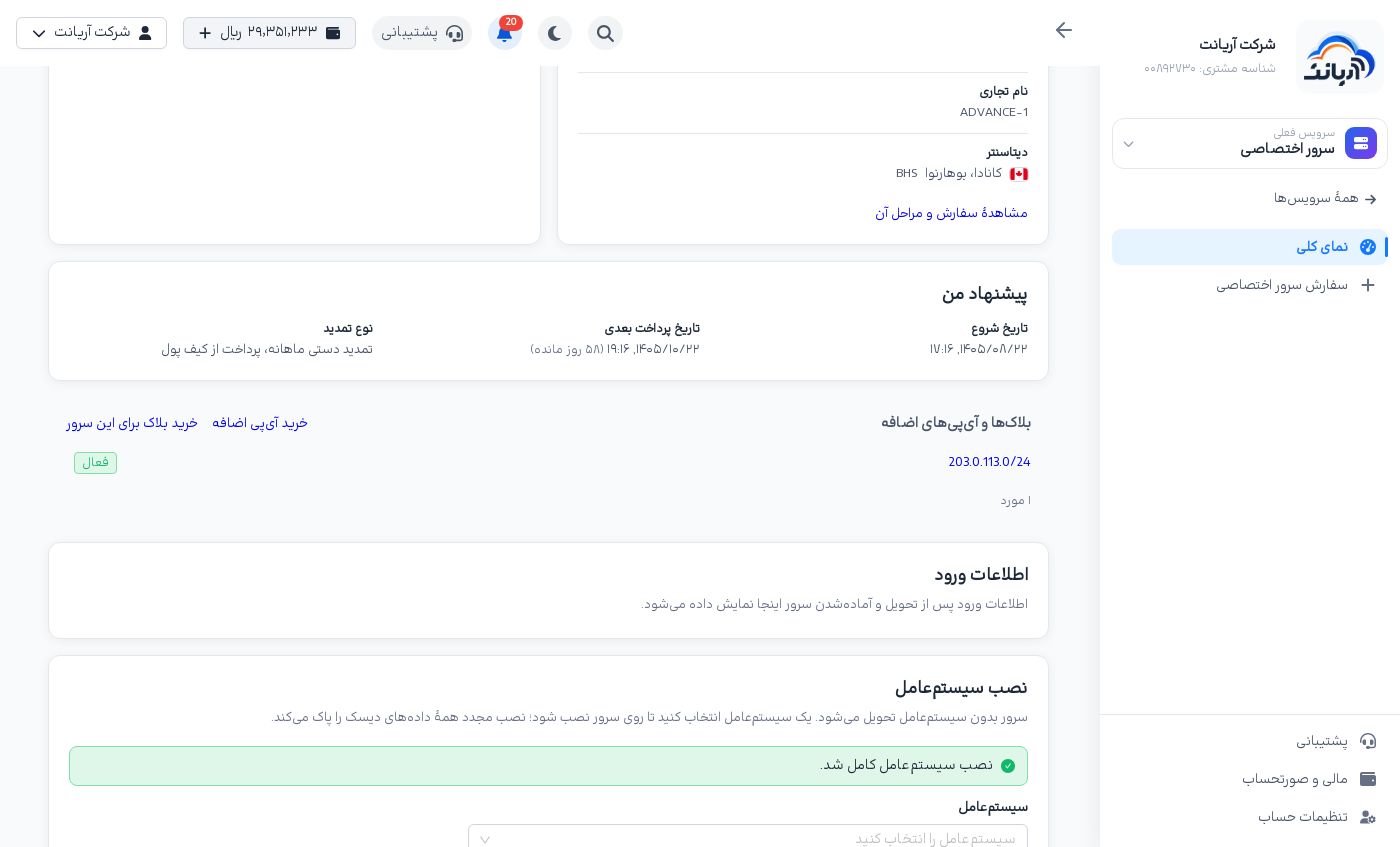
On each dedicated server's page, the Blocks and additional IPs («بلاکها و آیپیهای اضافه») box lists the blocks and additional IPs attached to that server with their status; click one to open its page. It also has two links:
- Buy additional IP («خرید آیپی اضافه»): a data center additional IP for this server.
- Buy a block for this server («خرید بلاک برای این سرور»): buy a block with this server as the destination.
Frequently asked questions
How long after payment is the IP or block active? Our team reviews and activates every order. A market block takes a few working days, because registering the routing objects and the ownership check at the registry are manual. An additional IP is obtained from the data center and attached to the server by our team. The current step is always shown on the page of that block or IP, and you get a notification when it is active.
What happens to my money if the order is not completed? If the order is cancelled before the block is leased (or before an additional IP is delivered), the full amount goes back to your wallet. To cancel an order yourself before the lease, open a ticket. Once the lease is registered, the term is not refunded.
My ASN is registered in Iran. Can I attach the block to it? No. ASNs registered in Iran and other sanctioned countries are refused. You can attach the block to an Arianet dedicated server instead.
Can I buy a block without an Arianet dedicated server? Yes. In the destination step choose My own network (ASN) or No destination for now.
Is renewal automatic? No. The renewal bill is issued seven days before the term ends and you pay it from the page of the block or IP.
Can I move a block to a server in another data center? A block attached to a server is locked to that server's data center (campus) and moves only to servers in the same data center. For another destination, revoke the LOA and connect the block again (with the LOA fee).
Why can some market blocks not be bought? They are not OVH BYOIP compatible, their price is not set yet, or they are no longer available. The reason is shown on that row's Buy button.
Tips
- Check the geolocation agreement before choosing a block. A block whose sources agree is more trustworthy for users in that country.
- For a dedicated server, keep Only OVH BYOIP compatible on.
- Once active, set the rDNS (PTR) of your mail IPs from the Requests tab.
- Any harmful use (spam, attacks, scanning) gets the block cut off with no refund. Abuse center
- Watch the end of term on the block page and keep balance notifications on in your profile.