Backup and restore
The Backups page (Database menu) keeps backups of each Project's database and rolls the Project back to an earlier backup.
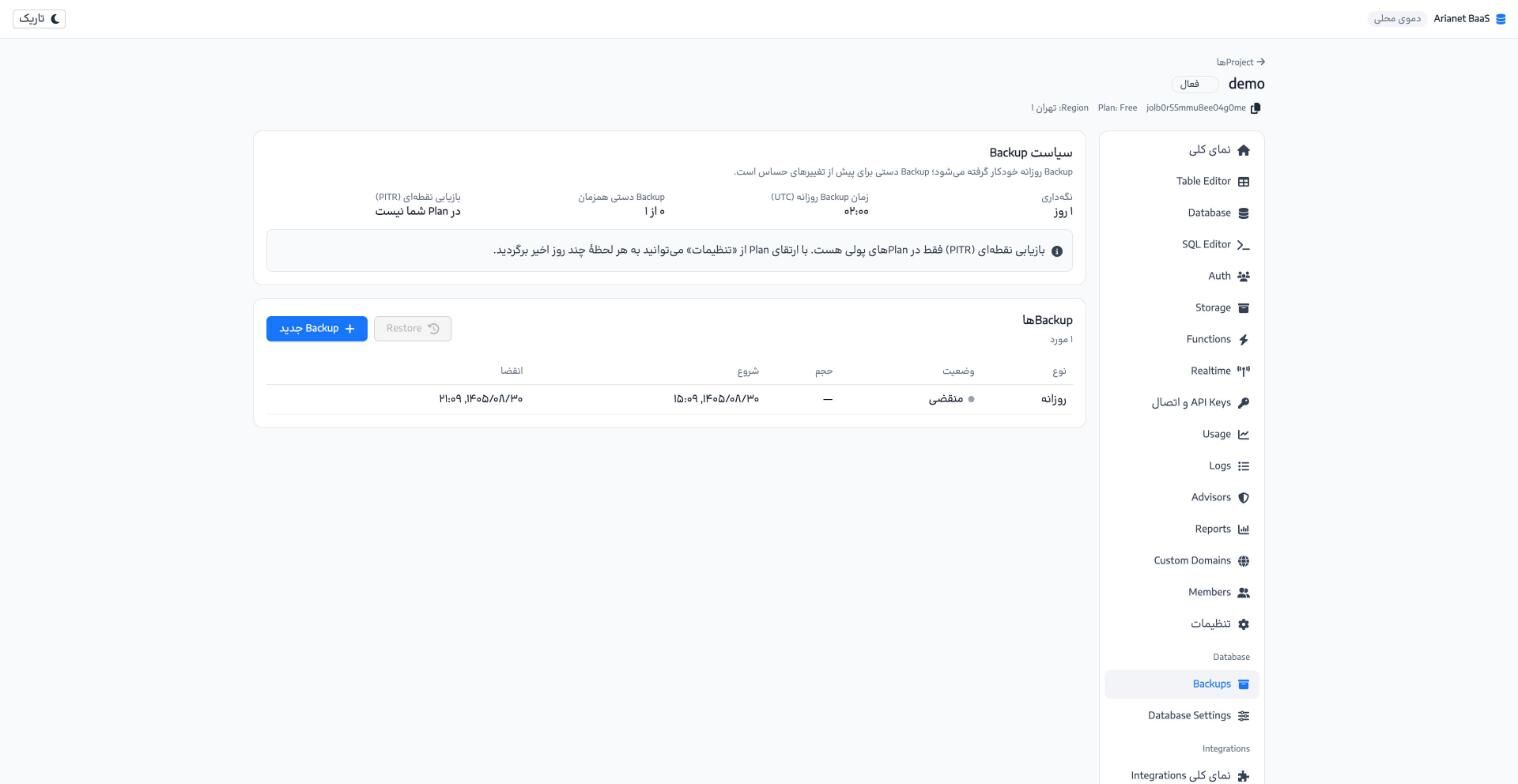
Backup policy
The Backup policy card at the top shows what your Plan includes:
- Retention: how many days each backup is kept before it is deleted automatically.
- Daily backup time (UTC): the hour the automatic backup is taken every day.
- Concurrent manual backups: how many manual backups you can keep at once.
- Point-in-time recovery (PITR): whether your Plan has it.
All of these values come from the Plan.
Manual backup
New backup takes a backup right now; do this before risky changes (a large migration, deleting data). Progress is shown on the same page; once ready, the backup appears in the list with type "manual", size, start time and expiry time.
Download
Every ready backup can be downloaded. The file is a standard Postgres dump (custom format) that pg_restore restores on any other Postgres as well:
pg_restore --no-owner --dbname "postgres://…" backup.dump
Downloading needs the project management and SQL execution permissions (baas:projects:manage and baas:sql:execute) and is logged. Vault secret values are in the backup in encrypted form only.
Restore
Restore is a three-step wizard:
- What happens? Restore returns the whole database to its state at the time of the backup. Data written after that time is lost. Storage files do not change; Auth users and the list of files live in the database, so they return to that time.
- Choose the source: a ready backup, or (on paid Plans) a point in time for point-in-time recovery.
- Review and confirm: type the project's
refto confirm.
The restore runs in the background in this order; you can close the window and follow its state on the Backups page:
- Traffic paused: the Project's connections are closed and requests are refused for the moment.
- Safety backup: a backup of the current state is taken, so you can go back if you restored by mistake.
- Restore in one transaction: it happens completely or not at all.
- Resume: the Project answers again.
If the restore fails, the Project goes back to work and the safety backup stays in the list.
Point-in-time recovery (PITR)
On paid Plans, besides the daily backups, the database's changes are archived continuously, and you can return the Project to any moment of the last few days (per your Plan); for example one minute before a mistaken DELETE. Give the time in the "Choose the source" step; the rest works like a normal restore, and the recovered state is also kept in the list as a manual backup. The Free Plan has no PITR.
If a table has FORCE ROW LEVEL SECURITY, backups of that Project fail and the tool's error is shown in the backup list. Remove FORCE from such tables (normal RLS is enough).