Database
The Database section shows and manages the structure of a Project's database, apart from its data: schemas, views, functions, triggers, enums, extensions and roles, plus the schema diagram, CSV import and export, and the API docs generated from that structure. For tables and rows use the Table Editor; for anything else use the SQL Editor.
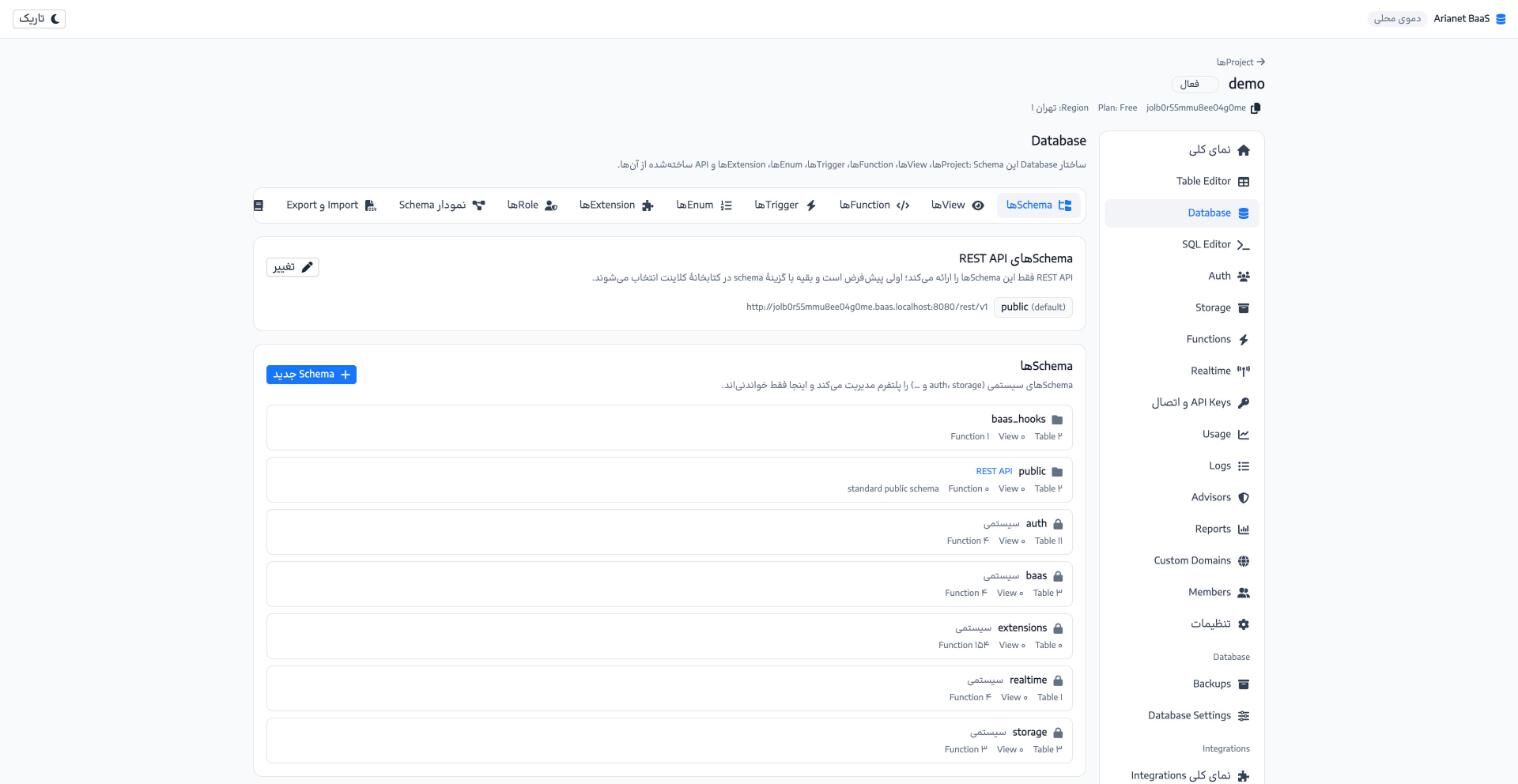
Before any change, every tab shows the SQL that will run.
Schemas
- REST API schemas: only the schemas in this list are reachable through the REST API. The first is the default (usually
public); the others are chosen with theschemaoption of the client library. Change the list with Change; the privileges theanon,authenticatedandservice_roleroles need on the schema are granted too (policies still decide which rows are visible). - New schema creates an empty schema; dropping a schema asks you to type its name.
- System schemas (
auth,storage,realtime, …) are managed by the platform. They are read-only here and marked with a lock.
Views and materialized views
Create a view or a materialized view from a name, a schema and a SELECT query. Before creating it, Preview shows the first rows of the query's result. A materialized view stores its result and is recomputed with Refresh.
A view in a REST API schema can also be read through the API. Keep security_invoker on, so the view runs with the privileges and RLS of the user reading it. Without it, the view runs with its creator's privileges and bypasses the RLS of the underlying tables for the reader.
Functions
A function is database-side logic your app calls with rpc:
const { data, error } = await client.rpc('add_points', { user_id: id, amount: 10 })
Or over REST: POST /rest/v1/rpc/<name> with the parameters in the JSON body.
New function is a five-step wizard: name and language (sql or plpgsql), arguments and return type (including setof, table and trigger), body, behaviour and security, and SQL review.
- Over the REST API the arguments are sent under the same names in the JSON body.
- Behaviour (
volatile,stable,immutable) helps the planner. - SECURITY DEFINER means the function runs with its creator's privileges (and bypasses RLS). Use it only when you need it, and always with a fixed
search_path, so nobody can change the function's behaviour by creating a same-named object in another schema.
Triggers
A trigger runs a function on INSERT, UPDATE or DELETE on a table (BEFORE or AFTER, for each row or each statement). The function must return trigger. Triggers on auth.users are allowed too, for example to create a profile row when a user signs up:
create function public.handle_new_user() returns trigger
language plpgsql security definer set search_path = '' as $$
begin
  insert into public.profiles (id, email) values (new.id, new.email);
  return new;
end $$;

create trigger on_auth_user_created
  after insert on auth.users
  for each row execute function public.handle_new_user();
Enums
An enum is a type with a fixed set of values (such as 'draft', 'published'). Create an enum, add a value, rename a value or drop the enum. A value cannot be removed once added; it can only be renamed. The Project's enums also appear in the column type picker of the Table Editor.
Extensions
The list of allowed extensions with their on/off state. Extensions are installed in the extensions schema. Turning an extension off removes the functions and types it provides; with the CASCADE option the columns and indexes that depend on it are dropped as well. Extensions outside this list cannot be installed.
Roles
The database roles and what each one means. The three roles you use in policies:
| Role | Who |
|---|---|
anon | A request without sign-in, with the Anon Key only |
authenticated | A signed-in user with a valid token |
service_role | Your server with the Service Key; bypasses RLS and must never be in client-side code |
Schema diagram
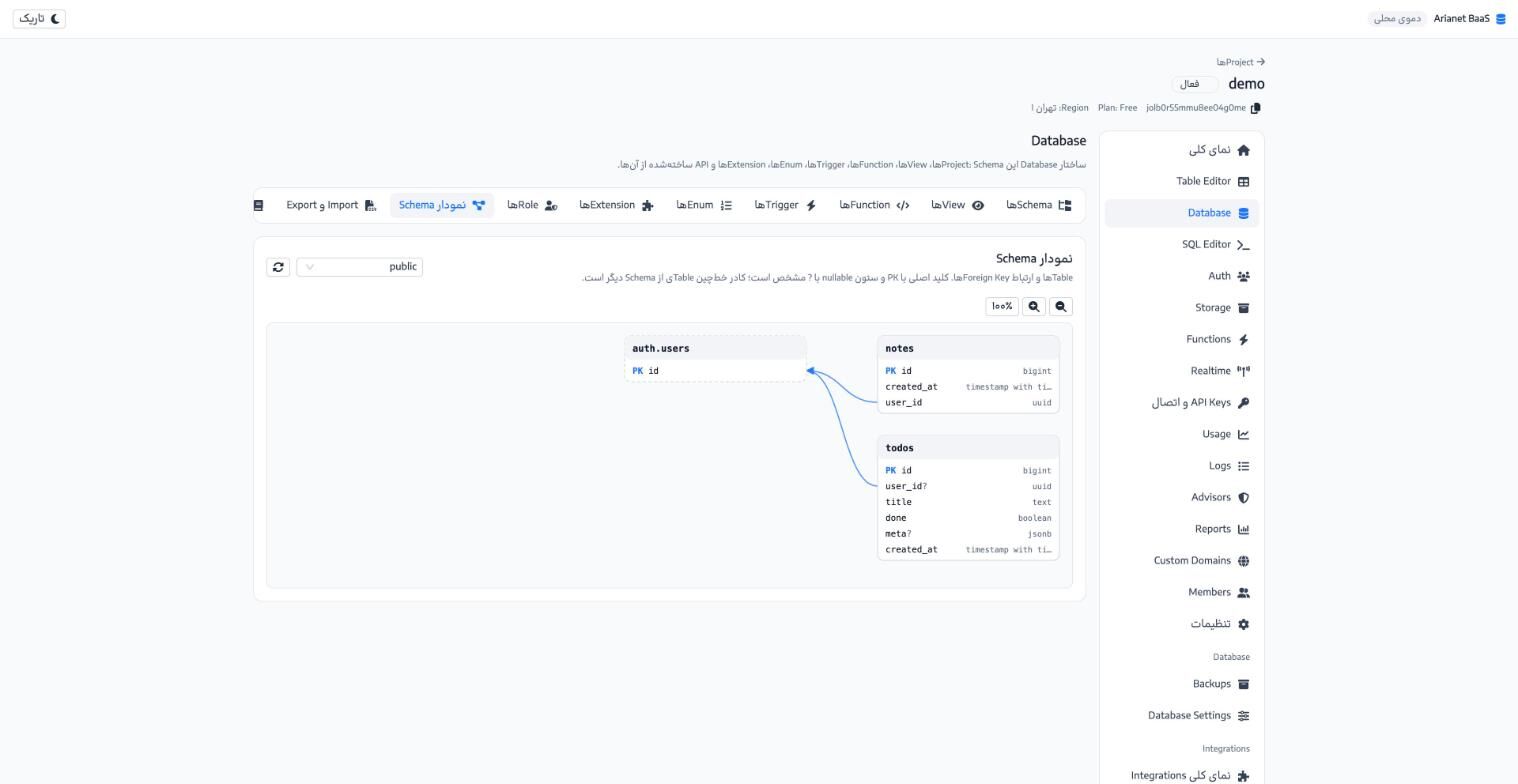
Shows the tables of a schema and their foreign key relations. Primary keys are marked PK, nullable columns ?, and a table from another schema (such as auth.users) has a dashed border. Zoom and pan to move around.
Import and export
- Import from CSV: add the rows of a CSV file to an existing table, or create a new table from it. Column types are suggested from the sample values and you see the SQL before it runs. The file size and row limits come from your Plan.
- Export a table: all rows of the table are downloaded as CSV.
- Export a query result: a read-only
SELECTruns and its result is downloaded as CSV.
API Docs
For every table, view and function in the REST API schemas, docs are generated automatically with curl and JavaScript examples: reading with filters, inserting, updating, deleting and calling rpc. The examples carry your Project's address; fill in the key yourself. The docs follow every change of the structure.
A GraphQL endpoint is not offered yet and is coming soon; until then use the REST API.