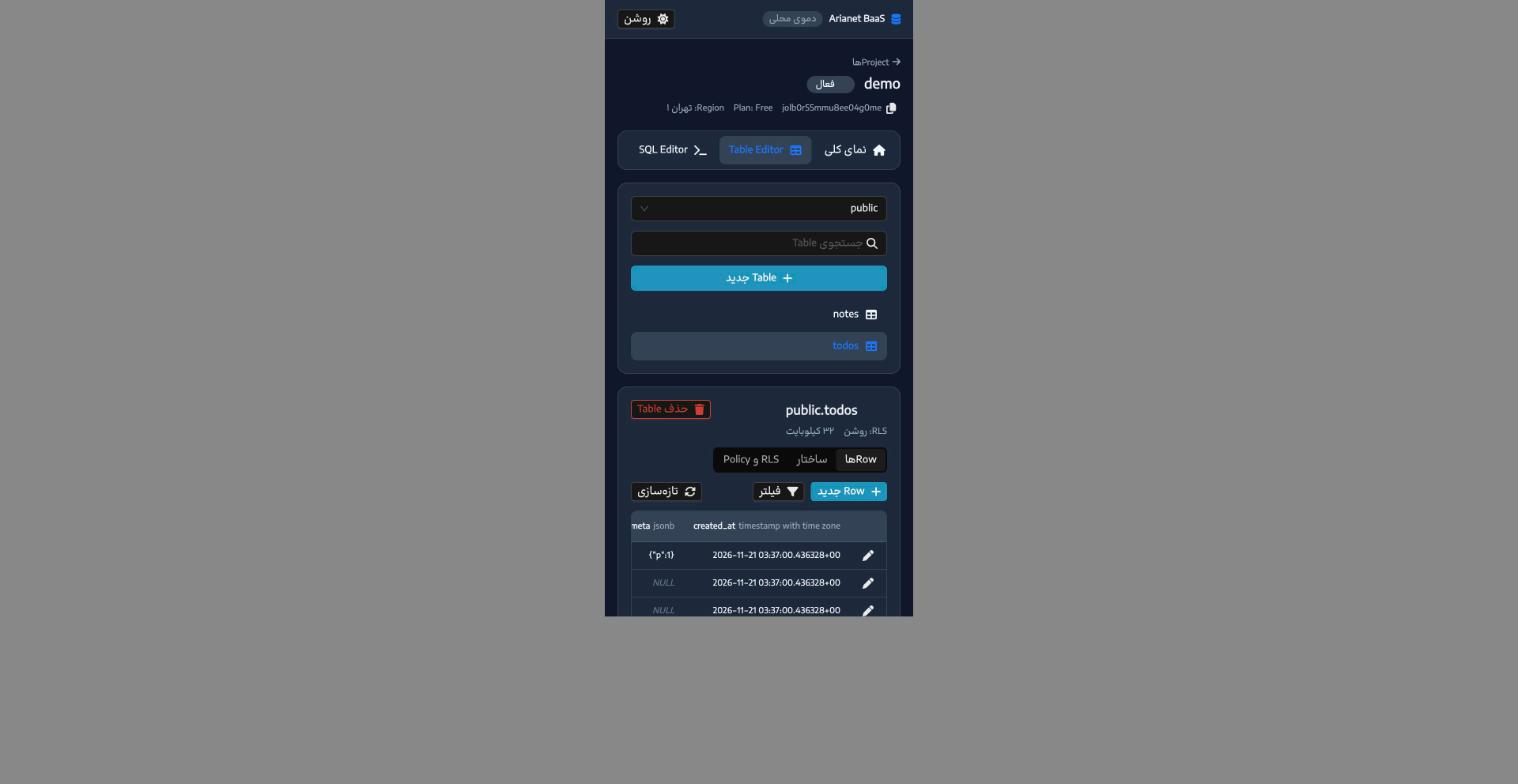
Table Editor
The Table Editor manages your Database's structure and data without writing SQL: create Tables, view and edit Rows, add or drop columns, and use RLS and Policies to decide who can reach which Rows. Every structural change shows the SQL that ran.
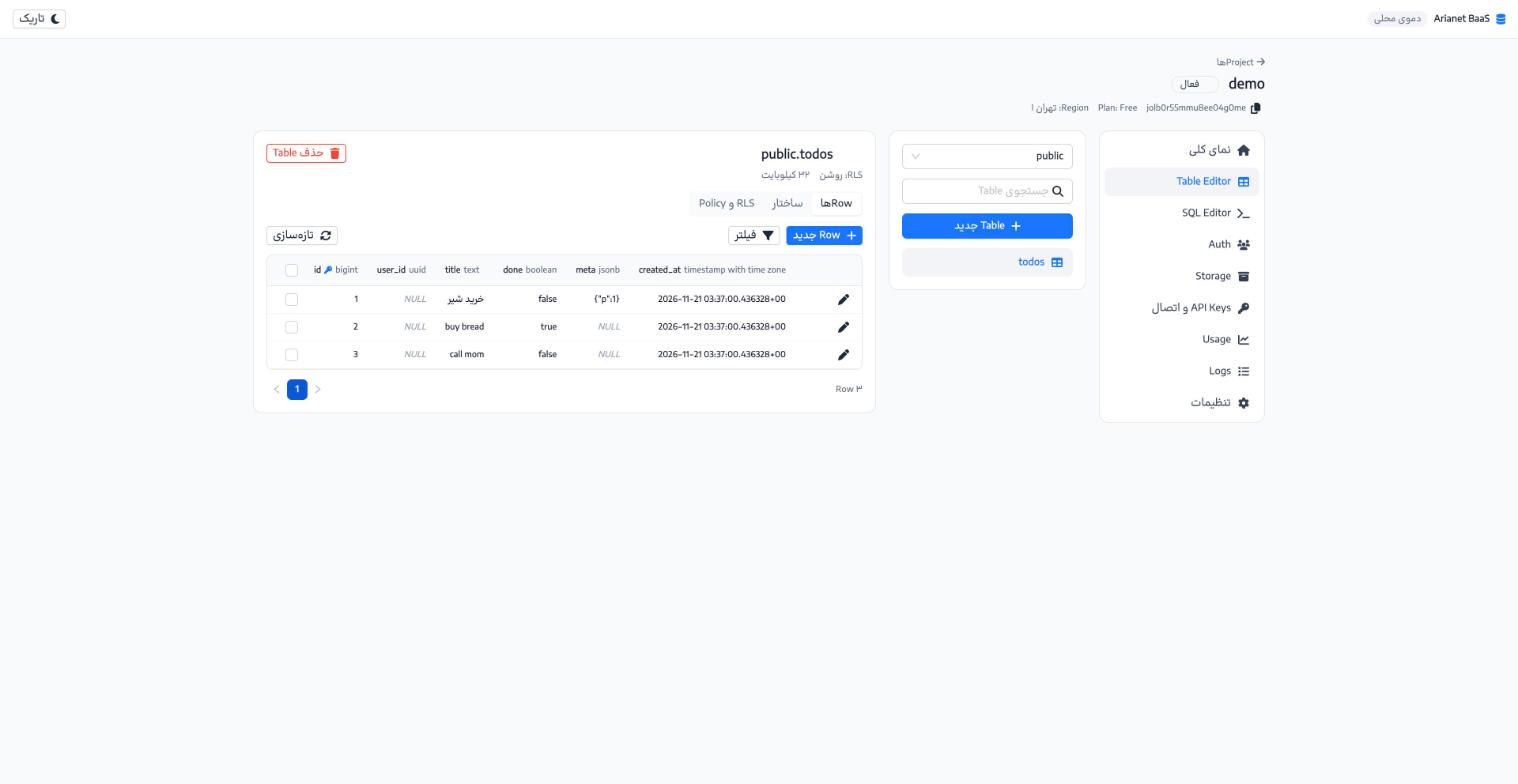
On the side of the page:
- Schema:
publicby default. Only Tables in thepublicSchema are served by the REST API. - Search Table («جستجوی Table») and the list of Tables. A Table with RLS off has a red open-lock icon.
- New Table («Table جدید»).
Selecting a Table shows its full name (such as public.todos), RLS state, size and approximate Row count, and these tabs: Rows («Rowها»), Structure («ساختار»), Indexes («Indexها»), Relations («ارتباطها») and RLS and Policy («RLS و Policy»). The Edit Table («ویرایش Table») button is at the top of the page.
Create a Table
New Table opens a four-step wizard:
-
Name and security («نام و امنیت»): the Table name in lowercase English letters, digits and underscores, plus an optional description. RLS is on by default so nobody can reach the Rows without a Policy. Turning it off shows a warning: anyone with the Anon Key could read and change every Row.
-
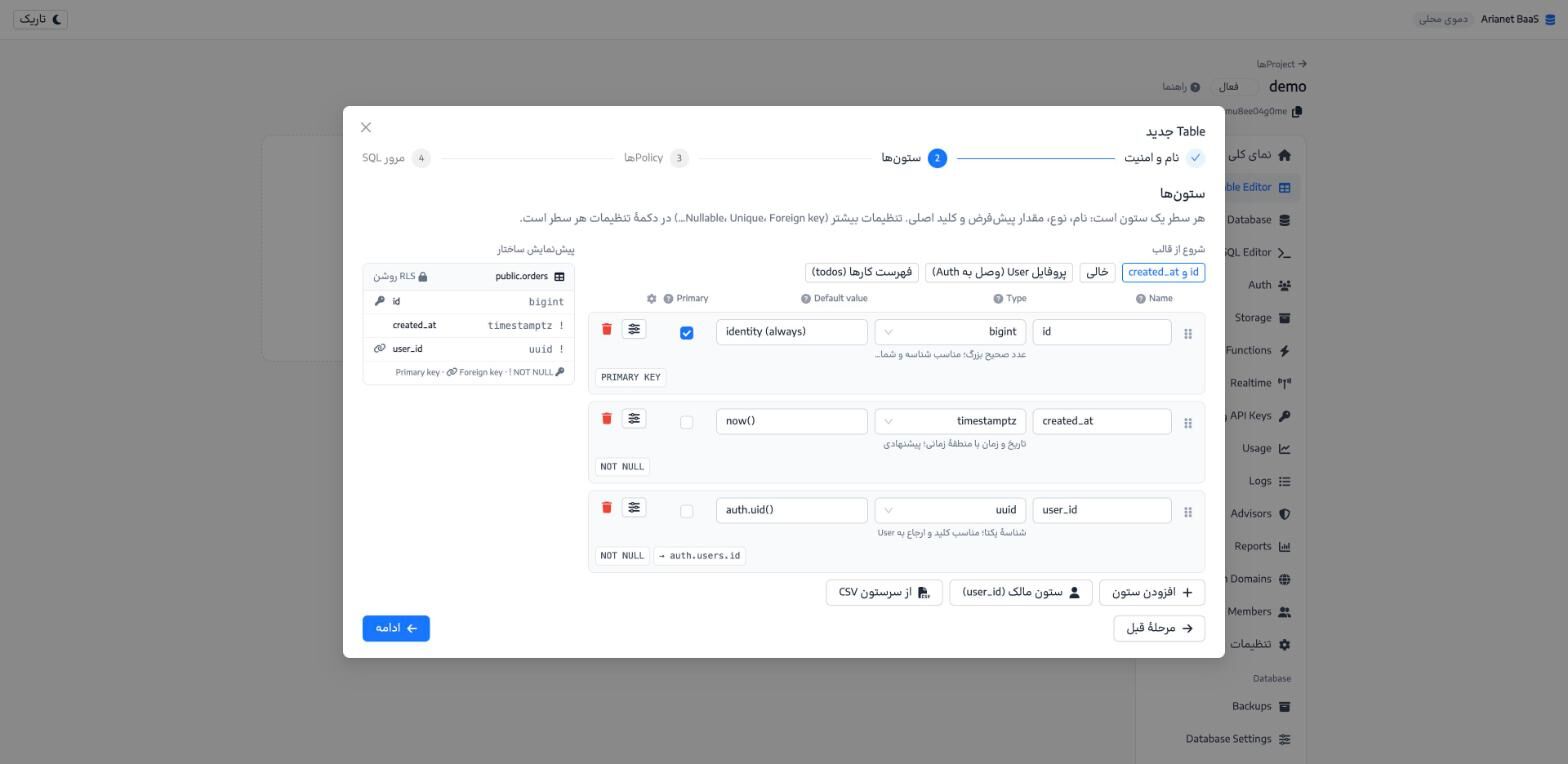
Columns («ستونها»): each row is a column: name, type, default value and primary key. Next to the form, a structure preview shows the Table live.
- Start from a template: "id and created_at" (the default), "Empty", "User profile (linked to Auth)" and "Task list (todos)". Or take the column names from the first line of a CSV file with From CSV header («از سرستون CSV»).
- Type: a grouped, searchable list that includes the Project's Enums.
- Default value: ready-made suggestions that fit the type, such as
identity(auto-increment),now()andgen_random_uuid(). - More settings (the settings button of each row): Nullable, Unique, array, Check condition, comment and Foreign key (target Table and column, and the on-delete behaviour:
no action,cascade,set null,restrict). - Add column («افزودن ستون») adds a column; drag rows to change the column order.
- Owner column (user_id) («ستون مالک (user_id)») adds a
uuidcolumnuser_idthat defaults toauth.uid()(the signed-in User's id) and references the Auth Users (deleting a User deletes their Rows). It works with the "Each User only their own Rows" Policy template.
-
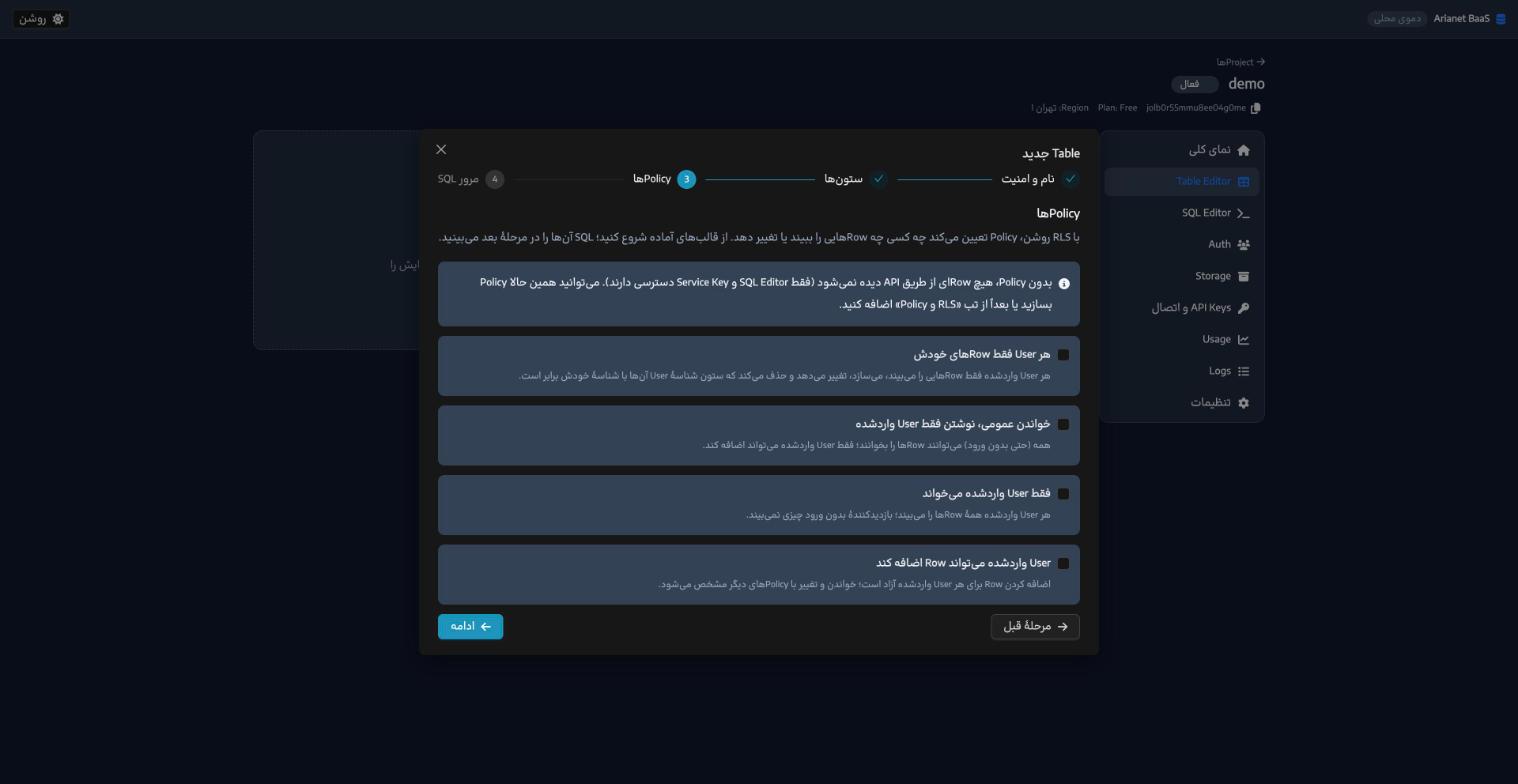
Policies («Policyها»): choose one or more ready-made templates (table below). Without a Policy, no Row is visible through the API; only the SQL Editor and the Service Key have access.
-
Review SQL («مرور SQL»): exactly the SQL that will run. Create Table («ساخت Table») runs it.
Rows
The Rows tab shows the Table's data page by page. Each column header shows its type, and the primary key column has a key icon.
- New Row («Row جدید»): a form opens at the side. Columns with a default can be left empty for the Database to fill; each column also has "default value" and NULL options.
- Edit: the pencil next to each Row. Only the values you change are saved; primary key columns cannot be edited.
- In the Row form, a Foreign key column is filled by searching the target Table's Rows,
json/jsonbcolumns are validated before saving, and date and time columns have a calendar. - Delete: tick Rows and click "Delete … Rows". Deleting cannot be undone.
- Filter («فیلتر»): pick a column and a condition: equal, not equal, greater than, greater than or equal, less than, less than or equal, contains (
like), contains ignoring case (ilike), is NULL and is not NULL. Several filters combine. - Refresh («تازهسازی») reloads the data. Row counts are exact up to 10,000.
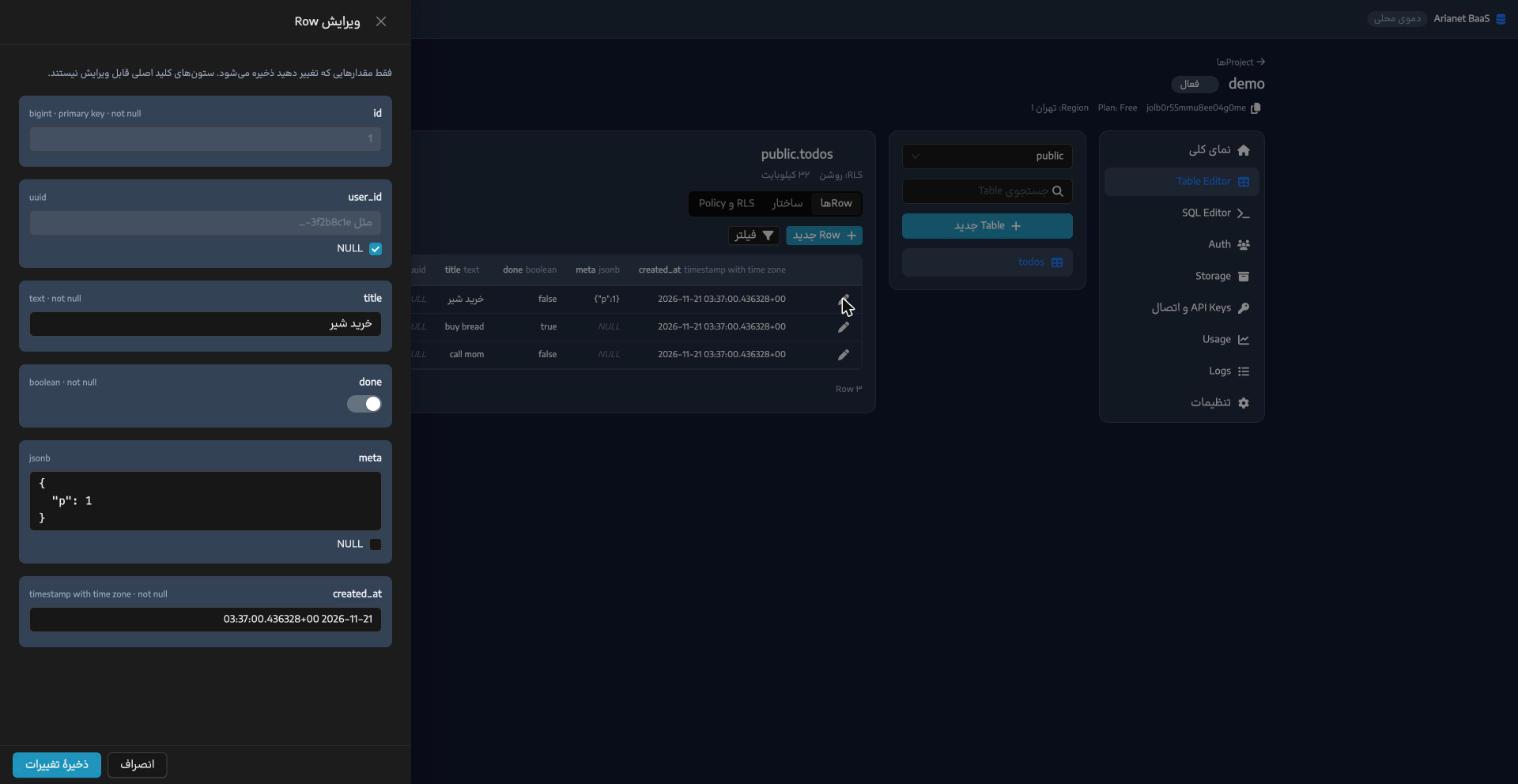
- Editing and deleting Rows needs a Table with a primary key; without one you can only add Rows.
- Views are read-only.
- The Table Editor works with the Database owner's access, so RLS does not limit it. A column whose default is
auth.uid()has no value in the Table Editor; fill it in yourself.
Structure
The Structure tab lists the columns (name, type, NULL, default), indexes and constraints.
- New column («ستون جدید»): name, type, "column can be empty (NULL)", "values must be unique" and an optional default. If the Table already has Rows and the column does not accept NULL, you must give a default so the existing Rows are filled. Text defaults go in single quotes (
'draft'); functions and numbers without quotes (now(),0). - Drop column: the bin icon next to a column. The column and all its data are deleted for good. With the cascade option, dependent objects (indexes, Views, Policies) are dropped too.
- Delete Table («حذف Table»): the button at the top; type the Table name to confirm. The exact name is shown with a copy button and pasting is allowed. The Table is deleted with all its Rows and Policies.
Edit a Table
Edit Table is a three-step wizard:
- Table: name, comment and RLS. Renaming changes the Table's API address too; apps that use the old address must be updated.
- Columns: rename, change the type, default, Unique, Foreign key and the other settings; add a new column or drop one. For a type change, the conversion's
USINGexpression is previewed. If the conversion may truncate or round data you get a data-loss warning, and if a value cannot be converted to the new type the change is not made and the data is left alone. The order of existing columns and the primary key are not changed here. - Review changes: each change with its SQL. The changes run one by one in this order; if one fails it stops there and you see which ones were done.
Indexes
The Indexes tab lists the Table's indexes with their method and columns. New Index is a three-step wizard:
- Columns: the columns you use in searches (
WHERE), sorting (ORDER BY) or joins (JOIN). Order matters. The primary key and Unique columns already have an index. - Method and settings:
B-tree(right for most cases),GIN(forjsonb, arrays and text search),GiST,BRIN(for large Tables with ordered data such as time) orHash(one column only, equality only). Options: Unique, Partial (only Rows matching aWHEREcondition) and Concurrently (build without locking writes; if it is interrupted it leaves an invalid index that you must drop). - Review SQL.
Relations
The Relations tab shows this Table's Foreign keys to other Tables and other Tables' Foreign keys to this one. The full picture is in the Schema diagram.
RLS and Policy
RLS (Row Level Security) means that for every API request the Database checks, Row by Row, whether that request may see or change the Row. A Policy is a rule that grants this. With RLS on and no Policy, the API returns no Rows.
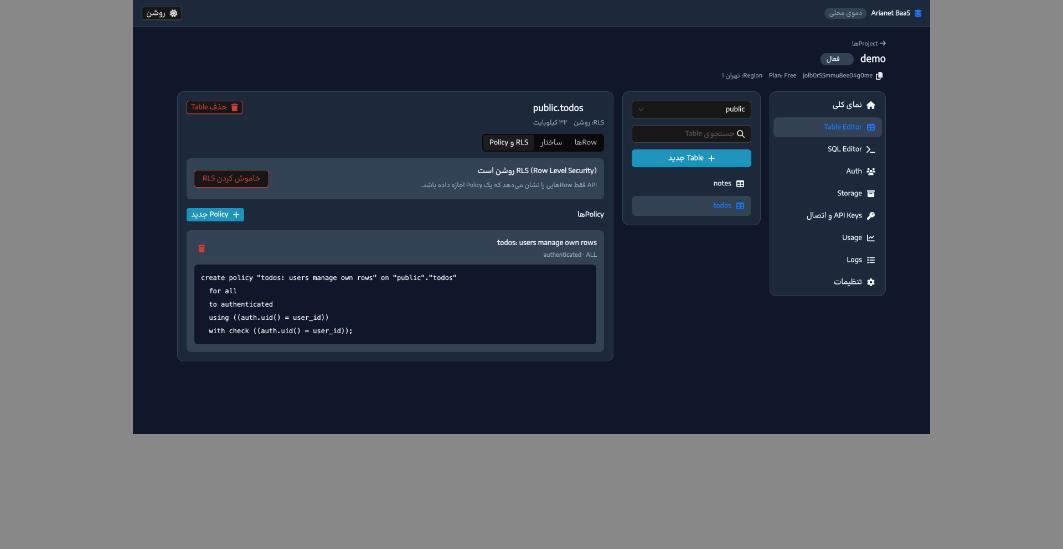
In the RLS and Policy tab:
- The RLS state and a Turn RLS on / Turn RLS off button (with confirmation). With RLS off, every Policy stops having any effect.
- The list of Policies with their name, roles, command and SQL, and a delete button.
- New Policy («Policy جدید»): a four-step wizard:
- Template («قالب»): a ready-made template or "Custom".
- Who and what («چه کسی و چه عملی»): the Policy name, the command (
SELECT,INSERT,UPDATE,DELETEorALL), the roles (anona visitor who has not signed in,authenticateda signed-in User) and Permissive (if there are several Policies, one is enough). - Conditions («شرطها»):
USINGdecides which existing Rows can be seen or changed;WITH CHECKdecides which Rows may be written. Conditions can useauth.uid()(the signed-in User's id),auth.role()and column names. - Review SQL («مرور SQL»): read the
create policystatement and confirm.
Policy templates
| Template | Command and role | Condition |
|---|---|---|
| Each User only their own Rows («هر User فقط Rowهای خودش») | ALL for authenticated | auth.uid() = user_id in USING and WITH CHECK (needs a uuid column) |
| Public read, only signed-in Users write («خواندن عمومی، نوشتن فقط User واردشده») | SELECT for anon and authenticated | true |
| Only signed-in Users read («فقط User واردشده میخواند») | SELECT for authenticated | true |
| Signed-in Users can add Rows («User واردشده میتواند Row اضافه کند») | INSERT for authenticated | WITH CHECK (true) |
| Custom («سفارشی») | any | you write the conditions in SQL |
- The Service Key and the SQL Editor bypass RLS; Policies only limit requests made with the Anon Key or a User's token.
- Where
auth.uid()comes from: Auth API: auth.uid() in Policies.
On mobile
Every part of the Table Editor works on a small screen; the Table list comes first and the Rows grid below it scrolls sideways.