Integrations
The Integrations section has four tools that do background work without a separate server. The Integrations overview shows each one with its current count against the Plan's limit.
| Tool | What it does |
|---|---|
| Database Webhooks | Sends a signed HTTP request to your service on every change of a table |
| Cron | Runs SQL or an HTTP request on a schedule |
| Queues | A durable message queue inside the database for background jobs |
| Vault | Keeps your keys and passwords encrypted |
Database Webhooks
A webhook on INSERT, UPDATE and/or DELETE of a table sends one POST request to your address for every changed row.
New webhook is a four-step wizard: name and table, events, destination (URL, custom headers, response timeout and enabled) and review and save. The last step shows the generated SQL and a sample payload.
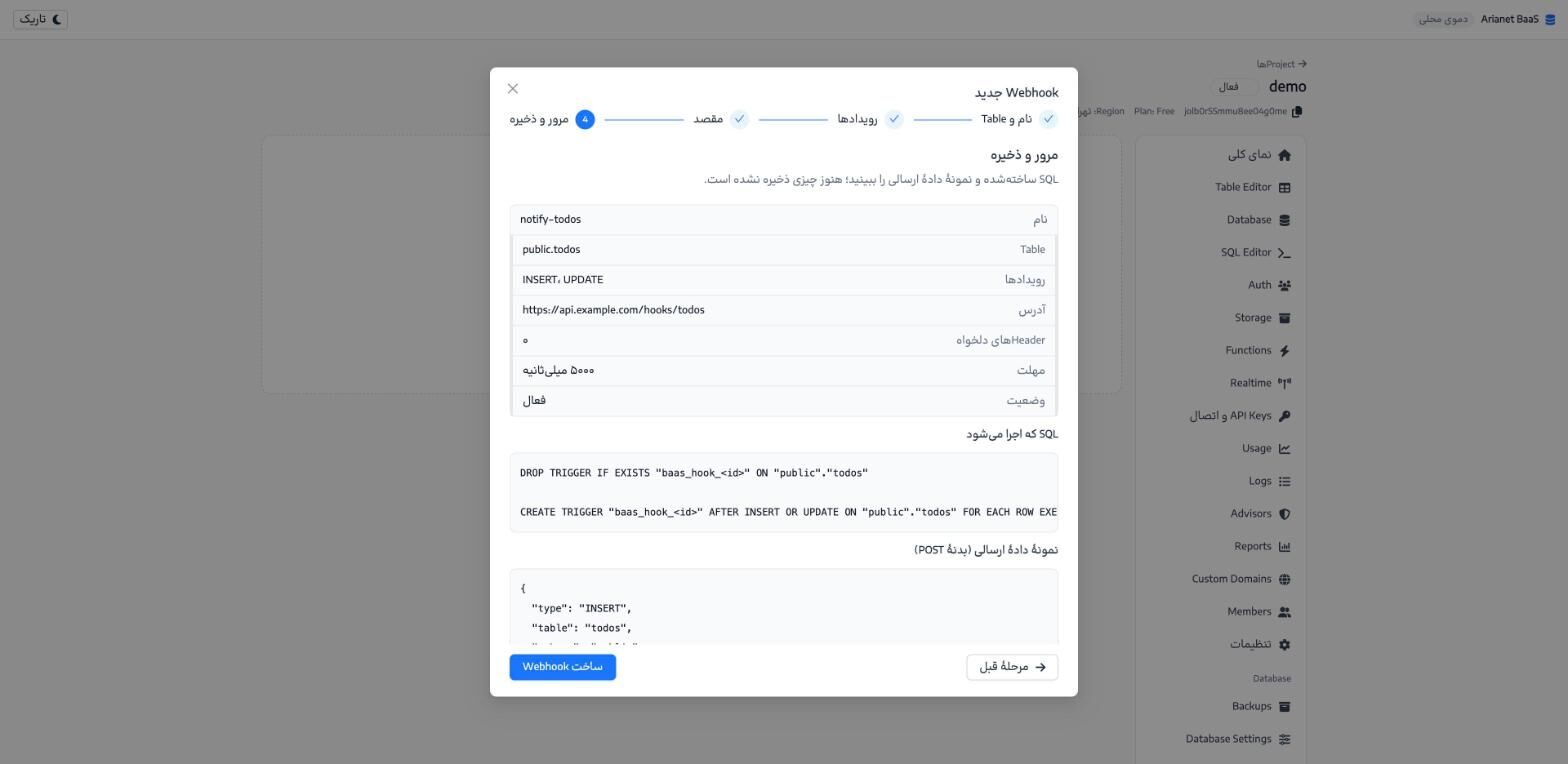
The request body:
{
  "type": "UPDATE",
  "table": "todos",
  "schema": "public",
  "record": { "id": 1, "title": "buy bread", "done": true },
  "old_record": { "id": 1, "title": "buy bread", "done": false }
}
On INSERT, old_record is empty (null); on DELETE, record is empty.
Verifying the signature
Every webhook has a secret (prefixed whsec_) that is shown only once, when the webhook is created. Every request carries these headers:
| Header | Value |
|---|---|
X-Arianet-Webhook-Id | The id of this delivery |
X-Arianet-Webhook-Timestamp | The send time (Unix seconds) |
X-Arianet-Webhook-Signature | v1= followed by the hex HMAC-SHA256 of timestamp + "." + body with the secret |
Example in Node.js:
import crypto from 'node:crypto'

function verify(req, rawBody, secret) {
  const ts = req.headers['x-arianet-webhook-timestamp']
  const sig = req.headers['x-arianet-webhook-signature'] // "v1=<hex>"
  const expected = 'v1=' + crypto.createHmac('sha256', secret).update(`${ts}.${rawBody}`).digest('hex')
  const fresh = Math.abs(Date.now() / 1000 - Number(ts)) < 300
  return fresh && crypto.timingSafeEqual(Buffer.from(sig), Buffer.from(expected))
}
Delivery and retries
- A
2xxanswer means delivered. Any other answer or a connection error is retried after 10 seconds, 30 seconds, 2 minutes and 10 minutes (five attempts in all). The latest state of each delivery is shown on the webhook's page for 7 days. - The response timeout is 1 to 10 seconds. A body larger than 1 MB is not sent.
- The URL must be
httporhttpson port 80, 443 or 1024 to 65535. Nothing is sent to internal or private addresses (private, loopback, link-local and the like), and redirects are not followed. - An event may arrive twice, so use
X-Arianet-Webhook-Idto drop duplicates.
Cron
A cron job is a recurring task that, on a schedule, either runs SQL or sends an HTTP request (method, URL, headers, body and timeout). New cron job is a four-step wizard: name and type, schedule, what runs, and review and save.
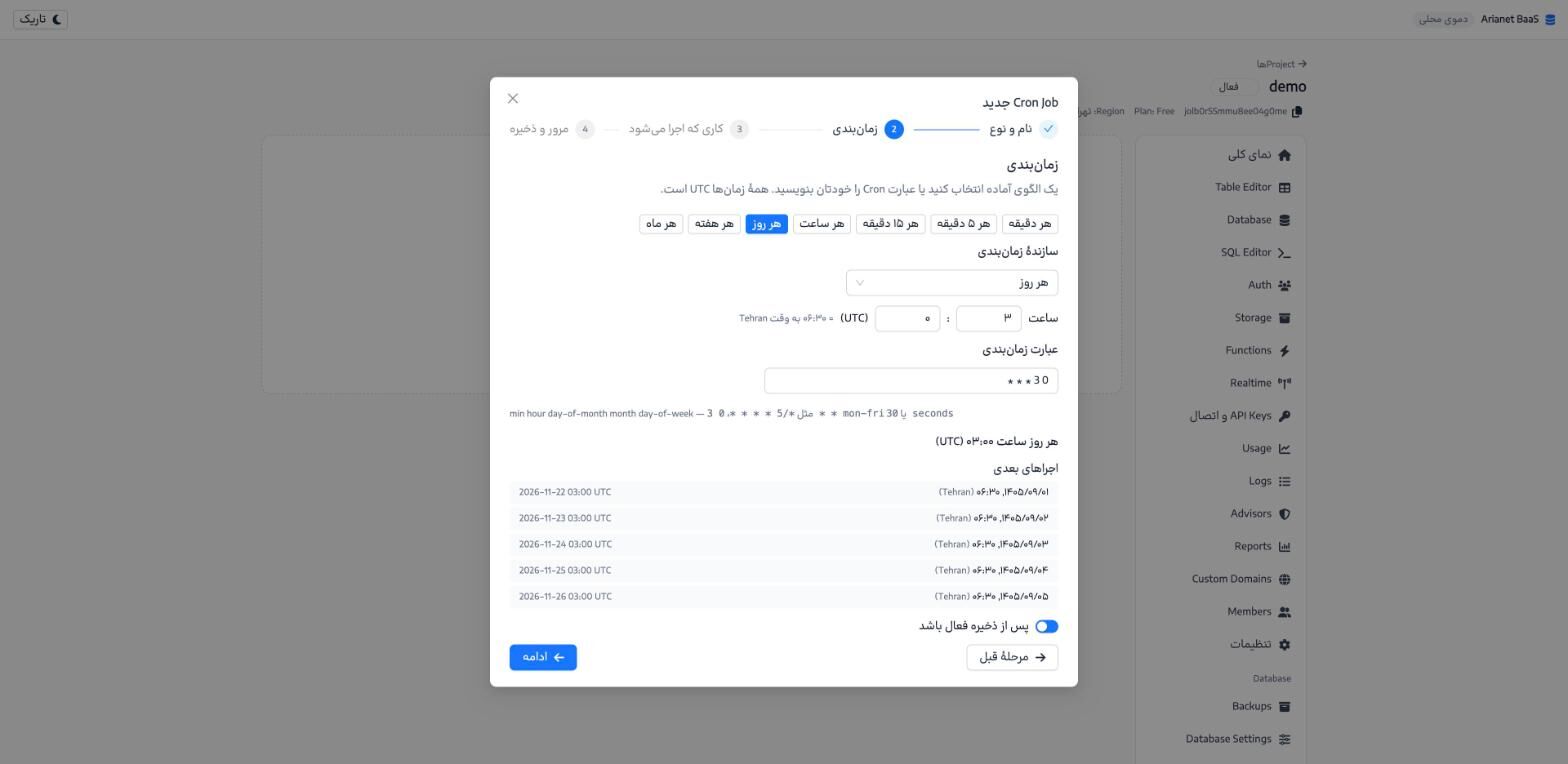
- Schedule: a ready pattern (every minute, every hour, every day, …), a five-field cron expression (
min hour day-of-month month day-of-week, such as*/5 * * * *or0 3 * * mon-fri), or a simple interval such as30 seconds. All times are UTC; the wizard shows the Tehran time equivalent and the next five runs. - The Plan sets the number of jobs and the shortest gap between two runs.
- SQL runs with database owner privileges, in one transaction, under the Plan's statement timeout.
- HTTP has the same limits as webhooks: nothing is sent to internal addresses.
- If the previous run has not finished, the next one does not start. Run now runs the job once right away. The run history, with results and errors, is kept for 7 days.
Queues
A queue is a durable message queue inside your database, for background jobs such as sending email: messages are backed up with the database and are not lost until they are processed.
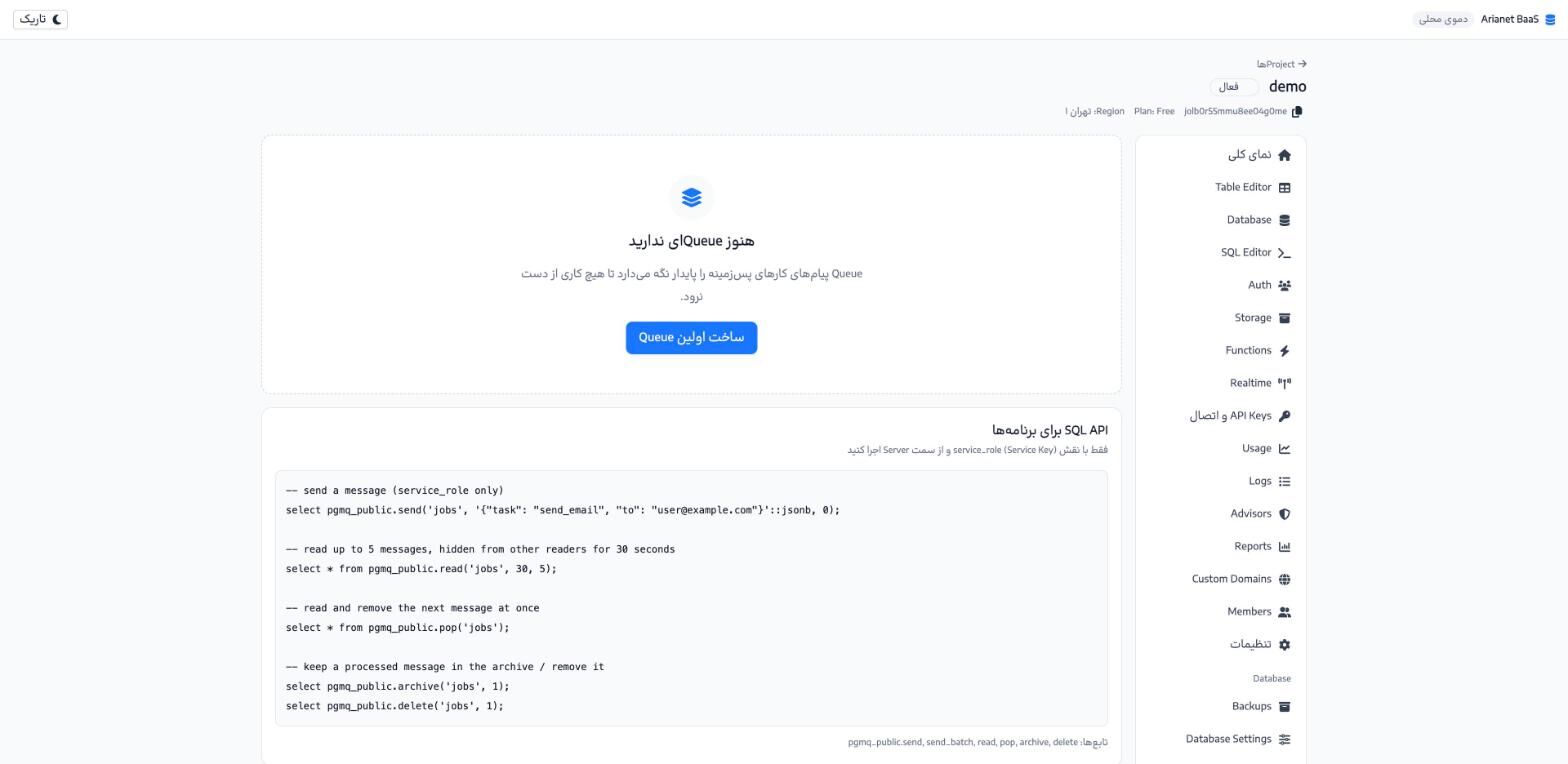
Create queues in the panel; apps work with them through SQL functions. These functions can be executed only by the service_role role (the Service Key, server side):
-- send a message (delay in seconds)
select pgmq_public.send('jobs', '{"task": "send_email", "to": "user@example.com"}'::jsonb, 0);

-- read up to 5 messages; hidden from other readers for 30 seconds
select * from pgmq_public.read('jobs', 30, 5);

-- read and remove the next message in one step
select * from pgmq_public.pop('jobs');

-- after processing: archive or delete
select pgmq_public.archive('jobs', 1);
select pgmq_public.delete('jobs', 1);
A message that is read but neither archived nor deleted before its hidden time ends becomes readable again, so a crashed worker loses no message. The fuller set of functions (send_batch, set_vt, purge_queue, metrics) is in the pgmq schema. In the panel you see each queue's messages, send a test message, delete a message or purge the queue. The Plan sets the number of queues.
Vault
Vault keeps the keys and passwords your SQL or database functions need (such as a payment service's API key) encrypted in the database, with the Project's own key.
- Add secret: a name (such as
stripe_key), a description and the value. After saving, the value is visible only through Reveal, and every reveal is logged. To replace a leaked value, set a new one here. - Apps read the value from SQL with the
service_rolerole:
select decrypted_secret from vault.decrypted_secrets where name = 'stripe_key';

-- create and update from SQL
select vault.create_secret('s3cr3t', 'my_secret', 'what it is for');
select vault.update_secret('<secret-id>', 'new value', 'my_secret', 'what it is for');
- A backup file holds the values in encrypted form only.
- The Plan sets the number of secrets. Managing the Vault needs the
baas:keys:managepermission.
The secrets Edge Functions read with Deno.env.get are separate from the Vault and are defined on the Functions page.