Projects and creating a Project
Each Project in Arianet BaaS is a separate Database with its own Endpoint, keys, Auth Users and Storage files. Create one Project per app (or per environment, such as staging and production).
Project list
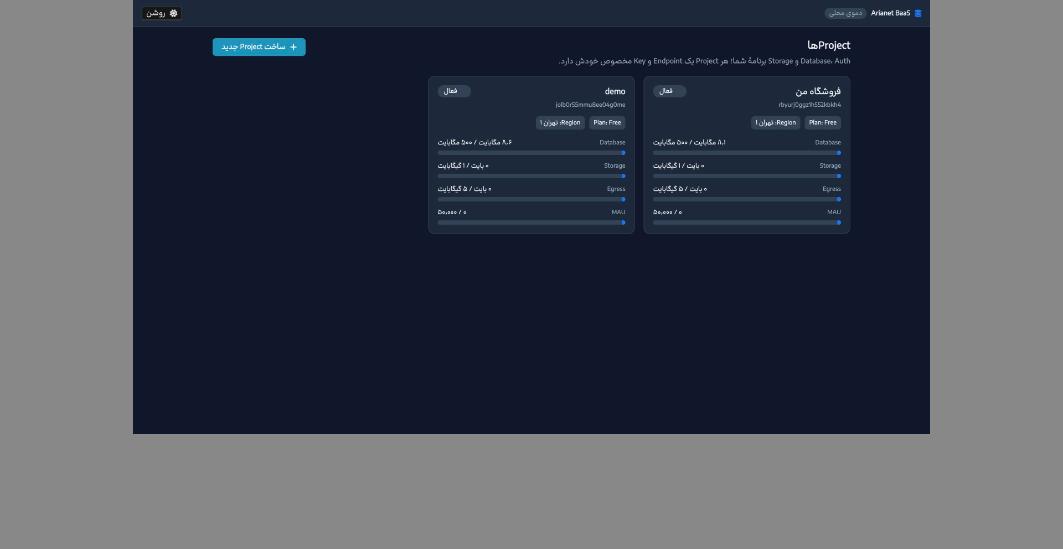
The Projects («Projectها») page lists all your Projects. Each card shows the name, ref, state, Plan and Region, and bars of this month's usage (Database, Storage, Egress and MAU) against the Plan's limits.
Create a new Project
Create new Project («ساخت Project جدید») is a four-step wizard:
| Step | What it does |
|---|---|
| Project name («نام Project») | A recognisable name, Persian or English, up to 64 characters. The name is for display only and can be changed at any time; the technical id (ref) and the Endpoint are generated. |
| Region | Tehran 1 («تهران ۱», thr-1). The Project's Database and files stay in this Region, and the Region cannot be changed later; for another Region, create another Project. |
| Choose a Plan («انتخاب Plan») | Each Plan's card lists its limits (Database, Storage, monthly Egress, MAU, concurrent connections) and its price. If the Plan pauses idle Projects, a note says so. |
| Review and confirm («مرور و تأیید») | Name, Region, Plan, price, Database limit and automatic pause, once more. Create Project («ساخت Project») starts creating the Database. |
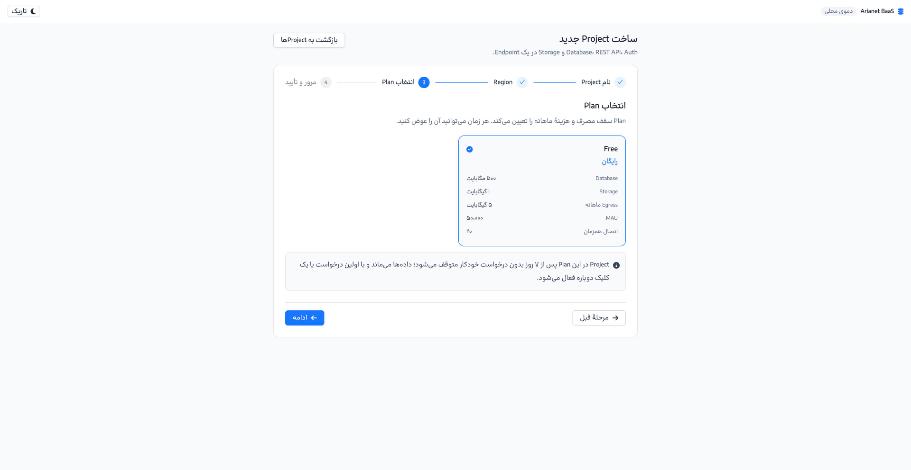
- If you have reached a Plan's Project limit (2 Projects on the Free Plan), the Plan step does not let you continue. Delete one of your Projects or choose another Plan.
- On paid Plans the first month is deducted from your wallet; with too little balance the Project is not created. If creating fails, any amount deducted goes back to your wallet.
- If your account needs identity verification before creating a Project, this step tells you.
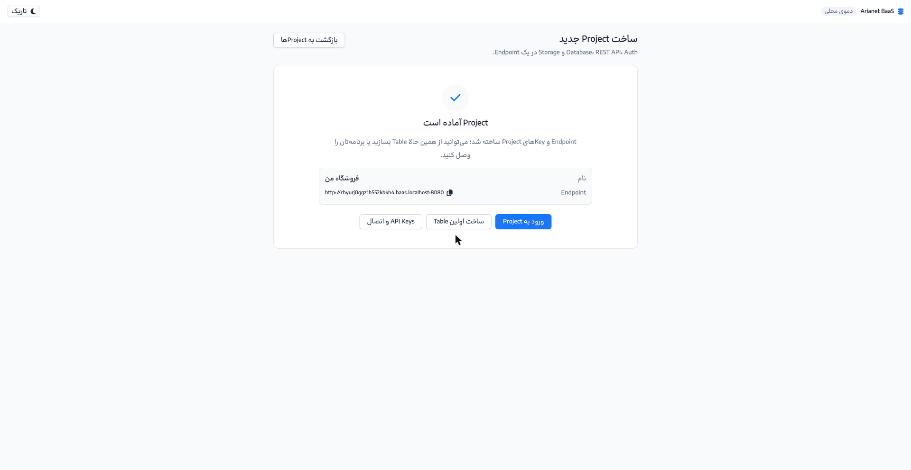
Creating the Database usually takes less than a minute. Then "Project is ready" («Project آماده است») shows the name and Endpoint with three buttons: Open Project («ورود به Project»), Create your first Table («ساخت اولین Table») and API Keys and Connect («API Keys و اتصال»).
Project states
| State | Meaning |
|---|---|
| Provisioning («در حال ساخت») | The Database is being created; the management pages are not available until it is done. |
| Active («فعال») | The Project answers requests. |
| Paused («متوقف») | The Database and files are kept but no request is answered. Resume Project («ادامهٔ کار Project») brings it back. The Free Plan's automatic pause also ends with the next request (details). |
| Suspended («معلق») | Arianet suspended the Project; it cannot be used until the suspension is lifted. The reason is shown at the top of the page: non-payment, terms violation, support decision or Database space full. |
| Deleting («در حال حذف») | The Project is being deleted and disappears from the list in a moment. |
Project overview
Opening a Project shows its Overview («نمای کلی»). The side menu has the Project's sections: Overview, Table Editor, SQL Editor, Auth, Storage, API Keys and Connect, Usage, Logs and Settings.
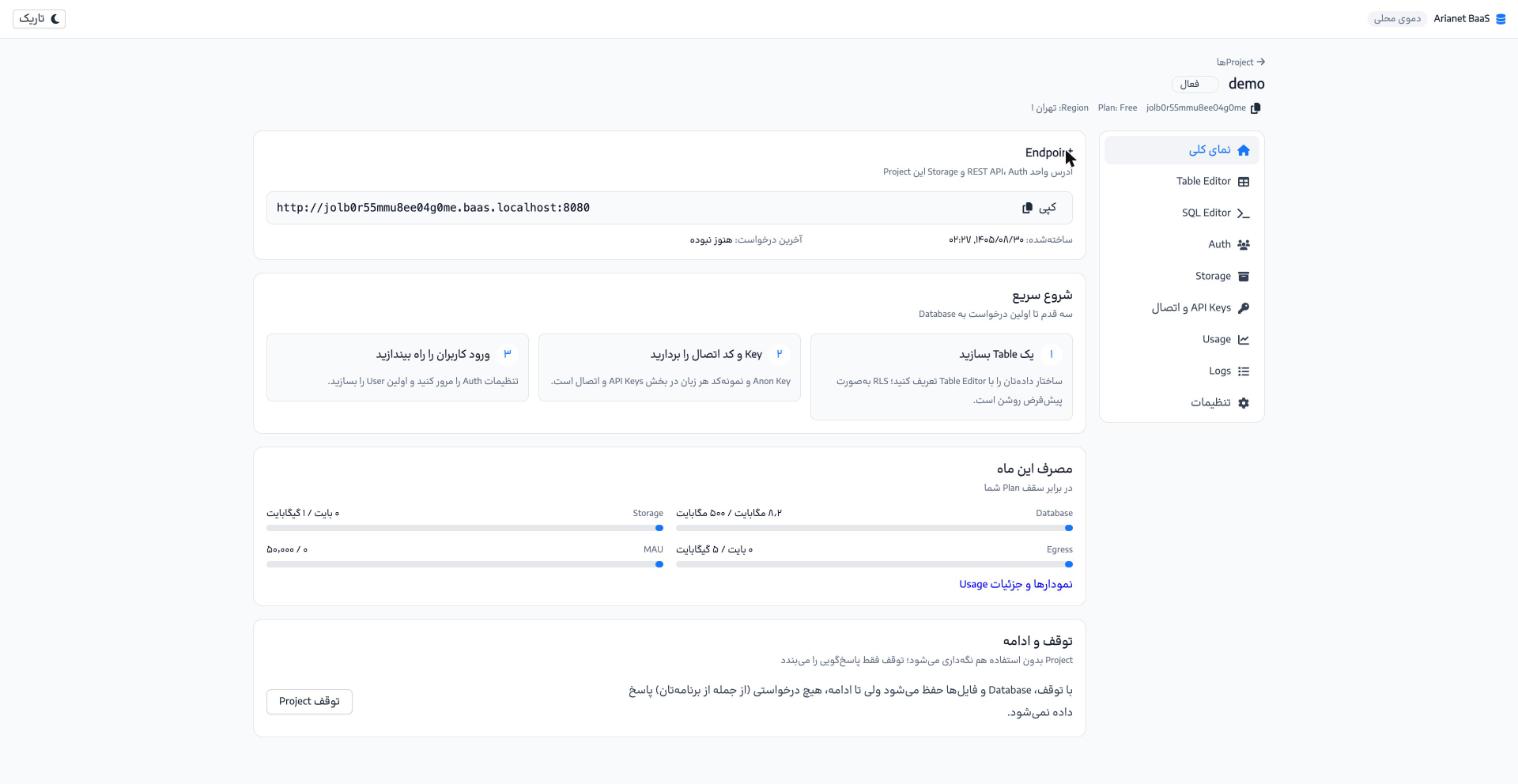
- Endpoint: the single address of this Project's REST API, Auth and Storage, with a copy button. Below it, the creation time and the last request.
- Quick start («شروع سریع»): three steps to the first request: create a Table, take the key and code sample, and set up user sign-in.
- This month's usage («مصرف این ماه»): Database, Storage, Egress and MAU against the Plan's limits, with a link to Usage.
- Pause and resume («توقف و ادامه»): pause or resume the Project (Settings).
The header shows the Project's name, state, ref (with a copy button), Plan and Region.