Advisors, Reports, Custom Domains and Members
Advisors
Advisors checks the database for security and performance every day and, for each finding, gives an explanation, a fix and suggested SQL. Examples: a table in an exposed schema without RLS, a policy that re-evaluates auth.uid() for every row, a foreign key without an index.
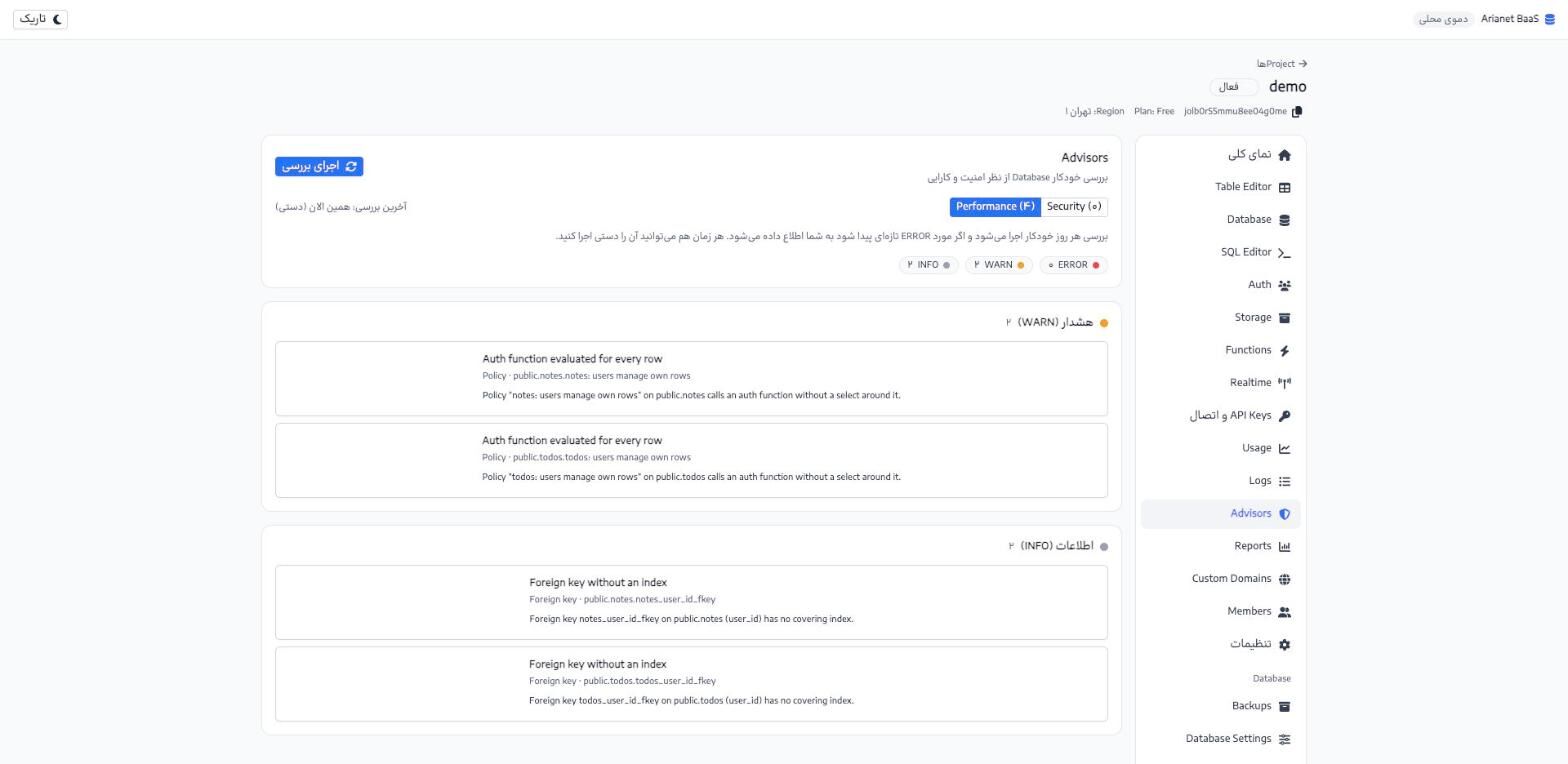
- Two tabs, Security and Performance, each with its count of findings. Findings are grouped by severity (
ERROR,WARN,INFO). - Run check repeats the check right now; the time of the last check is shown next to it.
- Open a finding to see its explanation, fix and suggested SQL. Read the SQL before running it; it changes the database.
- When a new
ERRORfinding appears, you are notified.
From the terminal (next CLI release): arianet baas advisors <project-id> (--run runs the check now).
Reports
Reports shows the Project's usage and behaviour over 1 hour, 24 hours, 7 days or 30 days:
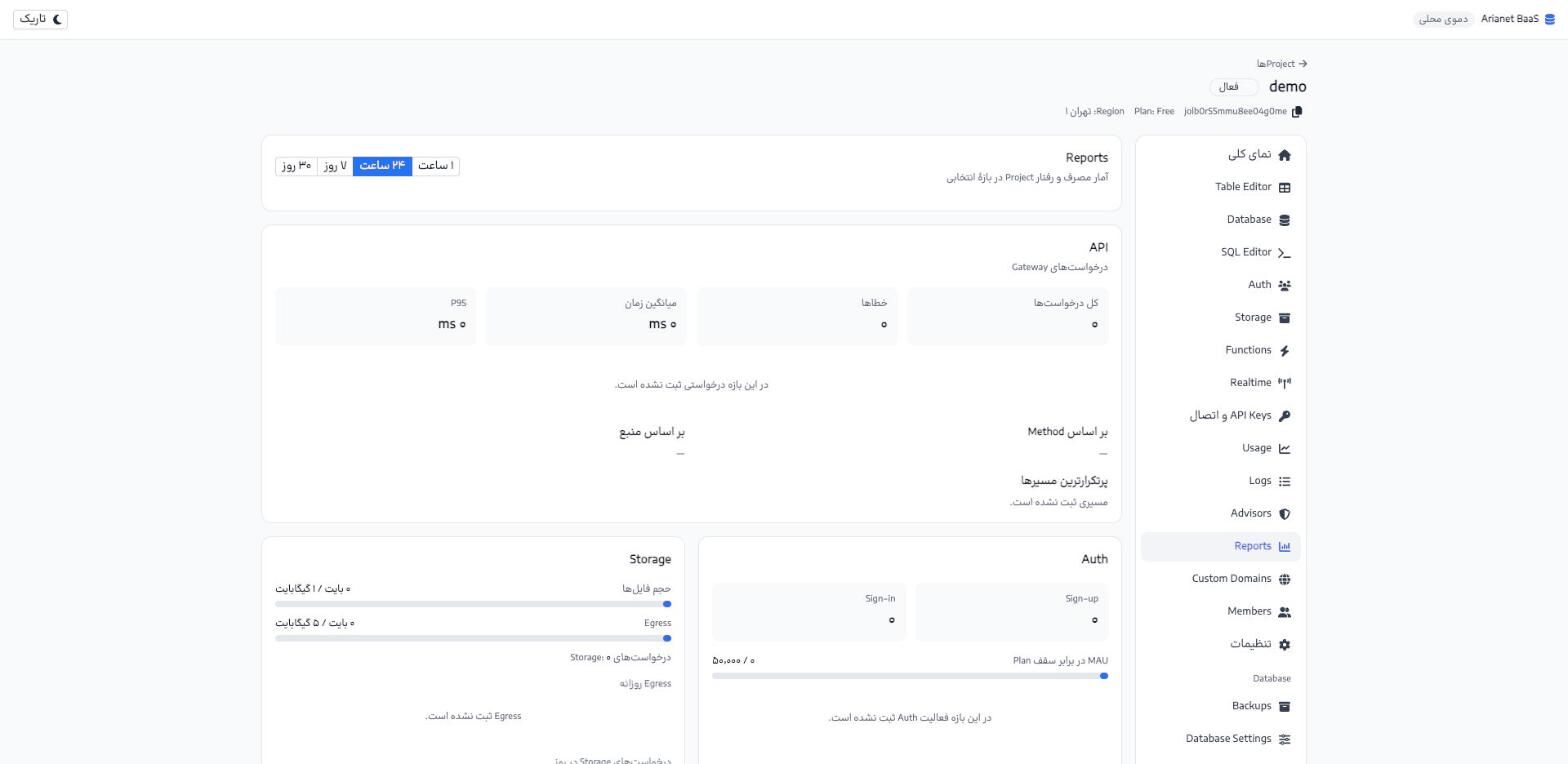
- API: total requests, errors, average response time and P95, requests by status class, breakdown by method and source, and the busiest paths.
- Auth: sign-ups and sign-ins, and MAU against the Plan's limit.
- Storage: file size, daily egress and Storage requests.
- Database, Realtime and Functions: the usage of each over the same range.
To find a specific request use Logs; for the monthly limits use Usage.
Custom Domains
Instead of <ref>.baas.arianet.app, a Project can answer on your own domain, such as api.example.com. Custom Domains are available on paid Plans only, and the Plan sets how many domains you can add.
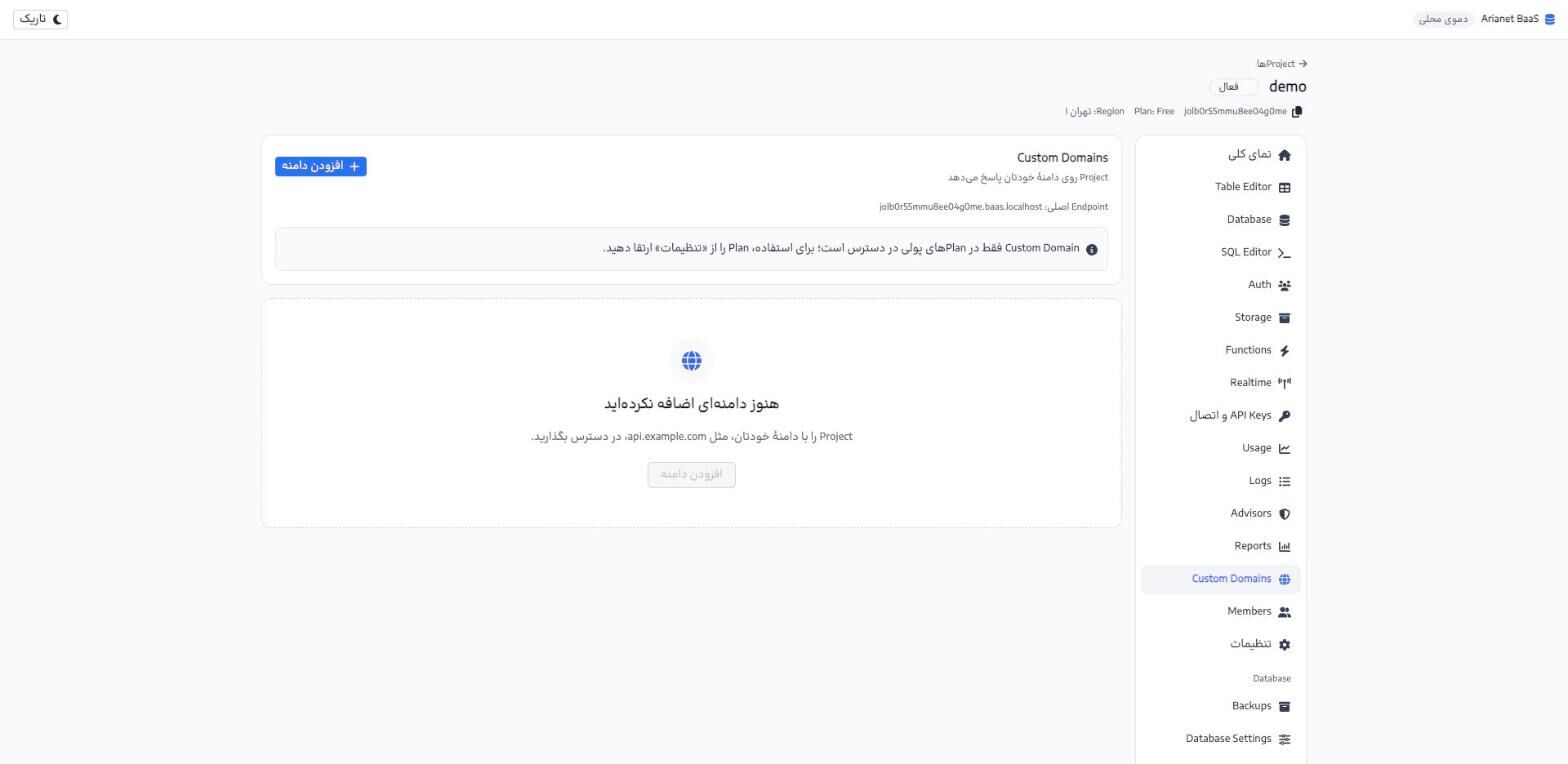
- Add domain: type the full domain or subdomain and confirm.
- DNS records: the panel shows two records to create in your domain's DNS: a CNAME to the project endpoint and a TXT record proving ownership.
- Once both records are correct, an SSL certificate is issued automatically and the domain goes live. Until then the current endpoint keeps working unchanged.
Once live, REST, Auth, Storage, Realtime and Functions work on the new domain too, and Auth runs on that domain: email links and the provider sign-in callback use your domain (register the new callback URL in the provider's settings). The <ref>.baas.arianet.app address keeps working.
From the terminal (next CLI release): arianet baas domains list <project-id> and arianet baas domains remove <project-id> <domain-id>.
Members
Team members' access to BaaS Projects is managed in Arianet IAM; BaaS has no separate team system. The Members page shows who in the account can access this Project, and at what level:
| Permission | What it allows |
|---|---|
baas:view | Viewing the Project and its data |
baas:projects:manage | Managing the Project (Plan, pause, delete, transfer, backups, domains) |
baas:sql:execute | Running SQL, webhooks, Cron and Queues |
baas:keys:manage | Managing API keys, the database password and the Vault |
baas:functions:manage | Creating, deploying and testing Edge Functions |
Access can be granted for the whole account, a workspace or a single Project; for access to one Project only, choose the "specific resource" level in IAM. The Manage access in IAM button takes you there. Only the account owner or someone with IAM management sees the member list. IAM details are in the team guide.